
Güvenlik Kolay Mobile: Phone-Based Vehicle Entry and Exit Control for Sites, Construction Sites and Factory Gates
Pds Mühendislik · Updated: 24.10.2026
Screenshots and videos
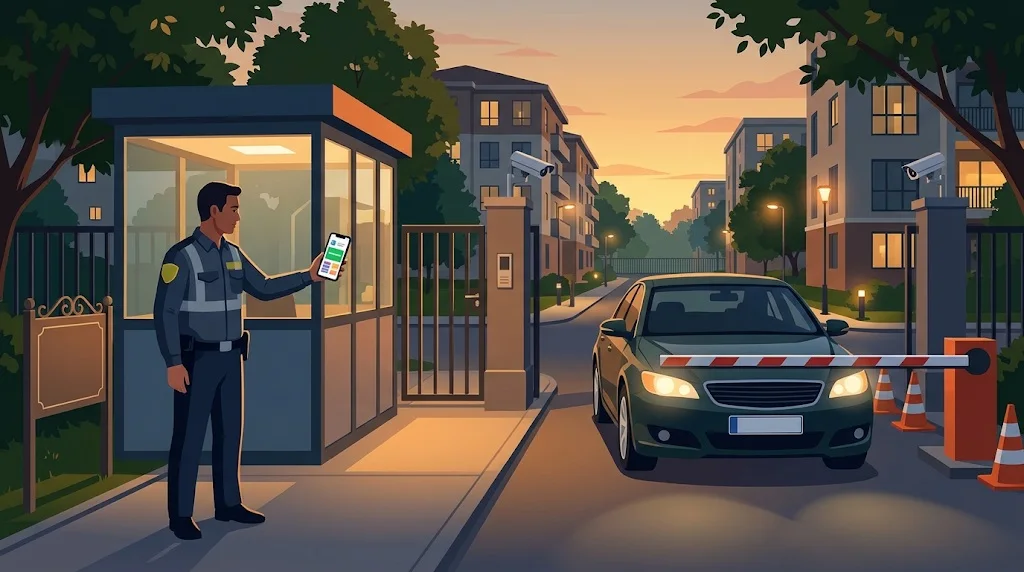
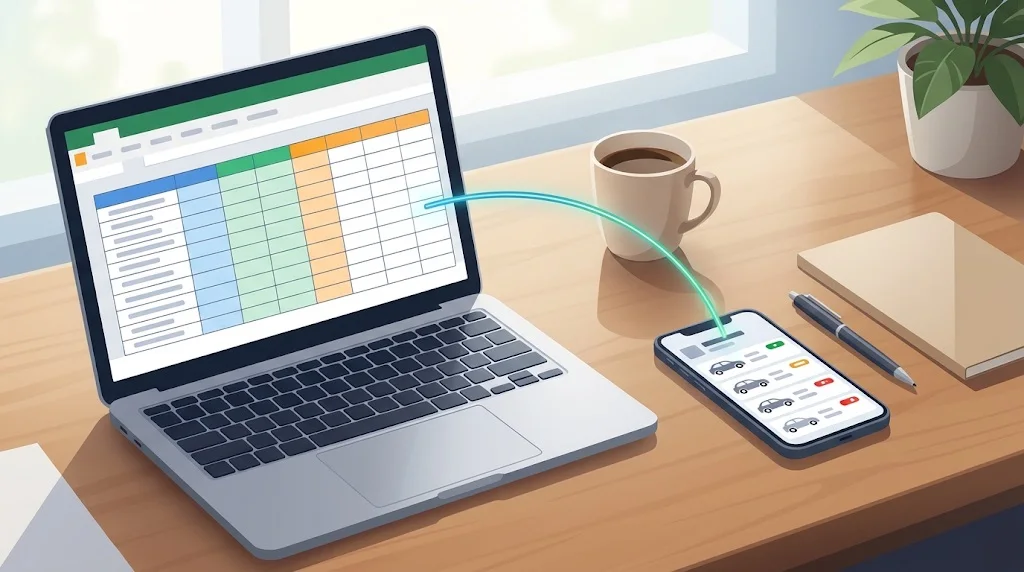
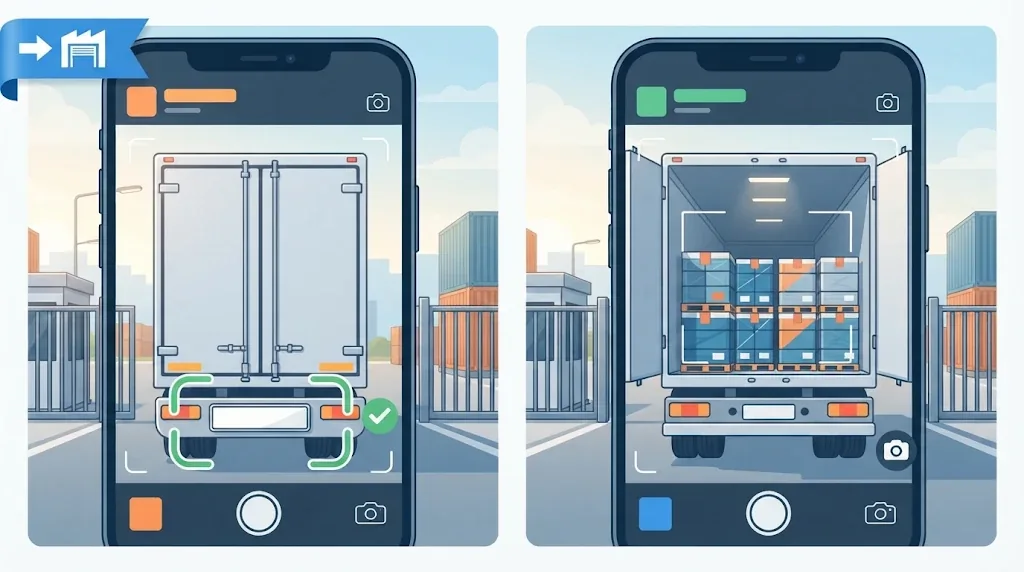
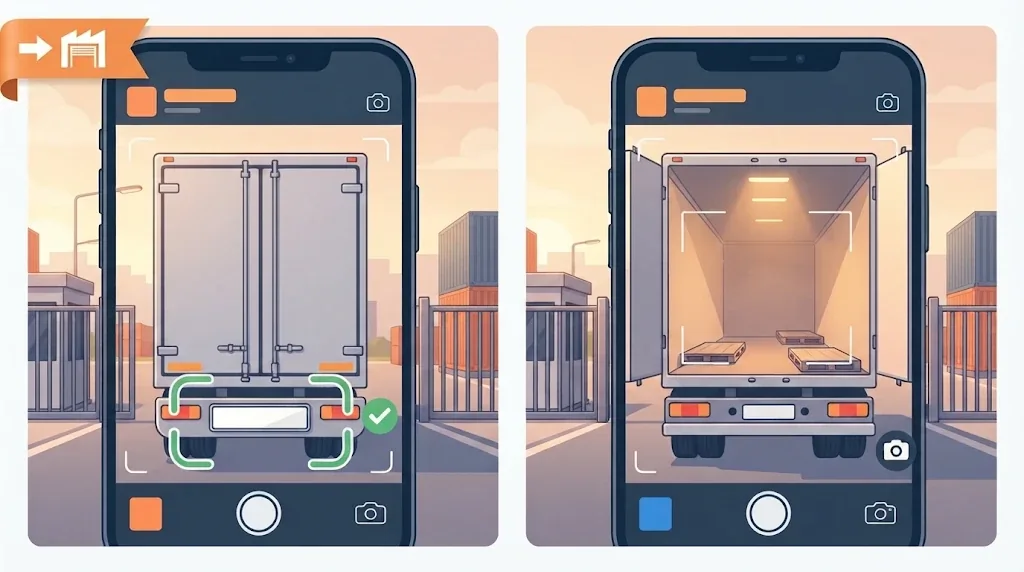
Illustrations of how the app is used
← Swipe to see more images →
These images are AI-generated illustrations for demonstration purposes.
Where is it used?
Important: Güvenlik Kolay Mobile is a separate app dedicated to the security scenario: it opens straight into Gate Check and Site List, has no parking or wash screens and asks no role. The same security-point engine is also available as the 'Security point' role in the Parking, Car Wash & Security Point Easy app; choose whichever fits your need.
| Place | Problem | What it gives you |
|---|---|---|
| Housing sites and apartment management | Car-park entries and exits are uncontrolled; nobody knows whose car it is or who brought a guest. | Resident vehicles are loaded from Excel; at the gate the plate shows resident / guest / outside vehicle. Guest entry and exit are logged with times. |
| Tracking vehicles inside the site | Guest, courier and service vehicles stay inside unnoticed. | Guests and couriers inside show as 'INSIDE' with entry time and time spent; 'Check out' when they leave. |
| Gates with no entry/exit system | No camera, barrier or plate recognition; the guard keeps a notebook. | A phone is enough: no installation, cabling or computer. A searchable record instead of a notebook. |
| Newly delivered sites | Infrastructure is not installed yet but gate control is needed now. | Start the same day: load the list from Excel or register vehicles at the gate. Later you can add Güvenlik Kolay (Windows) when cameras are installed. |
| Crowded construction-site gates | Subcontractor, haulage, concrete and visitor vehicles pass quickly and are not recorded. | List vehicles with a 'type' (subcontractor, haulage, staff…); an unlisted vehicle shows as 'possibly an outside vehicle' and one tap opens an entry record. |
| Factory and workplace gates | Supplier, courier, service and visitor vehicles are not tracked. | Registered staff and supplier vehicles stand apart; visitor vehicles are admitted with the unit and person visited. |
How does it work? (5 steps)
- 1) Download and install Güvenlik Kolay Mobile (Android 12+).
- 2) The app opens straight into Gate Check and Site List; there is no role or mode to choose.
- 3) Load your vehicle list: Site List > Excel / CSV (plate, unit, owner/person, phone, type, vehicle, colour). Header order is free. You can also register vehicles one by one at the gate.
- 4) At the gate open Gate Check and scan the plate with the phone camera (or type it). The result appears as a large coloured band.
- 5) For an unlisted vehicle tap 'Register guest / courier entry', 'Save as resident vehicle' or 'Add to blacklist'; tap 'Check guest out' when a guest leaves.
What do the result colours mean?
| Colour | Meaning |
|---|---|
| Green | Resident vehicle (on your list). Unit, person, vehicle, colour and phone are shown; one tap calls. |
| Amber | Guest or courier inside: entry time, unit visited and person. |
| Navy | Guest or courier that visited today and left. |
| Red | Blacklisted or not on the list: possibly an outside vehicle. The decision is the guard's. |
If the read plate is not an exact match (for example V/I or O/D look-alike letters) the app shows the similar record with a 'not an exact match, check the plate' warning; the guard makes the gate decision.
How are entries and exits tracked?
- Guests, couriers and service vehicles: at entry you record the unit visited, person, phone and visitor name; 'Check out' records the exit time when they leave. Site List > Guests shows who is inside and the entry time; scanning the plate also shows the time spent inside.
- Residents and staff: 'Log entry' and 'Log exit' on the result screen mark inside/outside with one tap; the time of the last action is kept.
- Entries are logged by hand: the app does not count passes automatically. Opening the gate is optional: if a Shelly relay on the same Wi-Fi is connected, the gate can be opened and closed from the phone.
- Optional fields for construction-site and factory gates (Settings > Site vehicle list): company/subcontractor, vehicle type, trailer / second plate, waybill or seal number. Site List > Backup / report gives a trip count report by day, company and vehicle type and a pass-records CSV (it counts entries; there is no waybill verification or weighbridge link).
- Blacklist: add problem vehicles with a reason; scanning the plate shows a red warning.
- Photo notes: take a photo and note for wrong parking, abandoned or blocking vehicles and share it by WhatsApp etc.
- Quick add: for a plate not on the list, 'Quick add: resident vehicle' or 'Quick guest entry' saves it in one tap; unit and name can be added later. In Site List, 'Add by camera' fills the plate from the phone camera.
- Today's reads: the home screen lists every plate read that day (known and unknown) with time and status, with an All / Known / Unknown filter. 'Add' under an unknown plate saves it as resident, guest, water/courier, technical service or blacklist with unit and a note (e.g. 'water', 'AC service'); if not added, the plate stays unknown.
- Time-limit warning: a guest/courier inside longer than the limit you set in Settings (default 4 hours) triggers a red warning on the home screen and when the plate is scanned; check-out is one tap away.
- Earlier entries: when a plate is scanned its past entries appear below (entry-exit times, duration, unit, note); switchable separately for owners, guests and service/courier vehicles. A guest or service vehicle that leaves and returns 5 minutes later the same day gets a new entry record.
- Photo audit: after a plate is scanned, 'Add photo' takes an entry, exit, trailer or load/seal photo (note: trailer no, seal no, damage). At factory and construction gates, for example, a truck's and trailer's entry and exit photos can be compared side by side to check unauthorised trailer or load changes, missing loads and misuse claims. Photos are kept on the phone linked to the plate for 90 days; the app does not compare photos itself and gives no outcome guarantee, and their evidential value is subject to legal assessment.
- Weighbridge info: if enabled in Settings, an 'Entry with weight' button appears when a plate is read (default type 'Transport vehicle'; the trailer/second plate can be read with the camera); the entry weight is typed from the weighbridge ticket at truck/lorry entry and the exit weight at exit, in kg (optional; the app does not read or connect to the scale). Net weight is calculated automatically: entry above exit counts as unloading, below as loading.
- Weighbridge report: Reports > Weighbridge report lists, daily or monthly, the entry plate, note, date, entry-exit times, entry weight, exit weight and difference (net) with company, vehicle type, trailer, waybill no and totals (unloading / loading), exportable as CSV (opens in Excel).
- Read confirmation: if enabled in Settings, a read plate first asks Entry / Exit / Look up only / Cancel; plates read while patrolling the site or by mistake leave no record with 'Cancel'. Choosing Entry or Exit marks a resident vehicle inside/outside, opens check-out for a guest inside and writes the direction in the read log.
- Gate/barrier relay (optional): enter the address of a Shelly relay on the same Wi-Fi in Settings and an 'Open Gate' button ('Close Gate' with a second channel) appears on the home screen and in Gate Check. The gate opens automatically when a resident vehicle is read by the camera (can be turned off; it does not open for blacklisted vehicles, blocked units or similar-letter matches); for other vehicles use the button under the description. Commands work only on the same local network and are logged on the phone. The relay is bought separately; if none is set up no button is shown.
- Shift / end of day: when the shift changes, the shift is closed from the home screen; since the phone is left at the security point, the guard taking over can start with a clean list. On closing, an optional PDF report (period, summary, guests/service vehicles handed over inside, unknown plates not added, weighbridge passes, all reads) is created, the shift is archived on the phone (Shift archive: open/share the PDF) and the on-screen today's reads list can be cleared: everything, or keeping owner (resident) reads. Clearing only affects the home screen list; guests, service vehicles and owners inside, the read log and Reports are not deleted.
- Inside now: one button on the home screen lists who is inside in three tabs (Guests / Service / Owners) with notes and time inside; check-out is done there.
- Reports: daily and monthly read report split into All / Known / Unknown; export as CSV (opens in Excel) or a JSON backup, import from a CSV / Excel / JSON file (the same time and plate is not added twice). 'End-of-day / handover note' prepares the day's summary and the guests still inside as text to share by WhatsApp.
- Optional read photo: if enabled in Settings, the camera image is stored on the phone on every read (off by default, 35 days; personal data, keep it off unless needed).
Why a phone? Quick comparison
| Güvenlik Kolay Mobile | Güvenlik Kolay (Windows) | |
|---|---|---|
| Needs | An Android phone | Windows PC + 1-3 IP cameras |
| Plate reading | The guard scans with the phone | Automatic from cameras |
| Gate/barrier | Optional: open/close from the phone with a Shelly relay (bought separately); opens automatically for resident vehicles | Designed to trigger a relay board |
| Setup | Minutes: install, choose role, load list | Camera, network and PC setup |
| Fits | New sites, construction, factory gates, places with no system | Camera-equipped gates that need continuous automatic passes |
They are not exclusive: start with phones, then move to Güvenlik Kolay when cameras are installed, or merge the desktop field-list file into the phone.
Data and privacy
- Plates, names, phone numbers and guest records are stored only on the phone; the developer does not access them or send them to a server.
- Only a device ID and the app version go to the server, for the licence check.
- The duty to inform people and to retain personal data (plates, names, phones) under privacy law belongs to the site or business.
- With Site List > 💾 you can share all vehicles, guests and the blacklist as a backup file, restore it on another phone, and delete old guest records (older than 30/90/180/365 days and already checked out). Back up regularly: if the phone is lost and there is no backup the records are gone.
What it does not do (limits)
- It does not control cameras; the guard scans the plate with the phone. It opens the gate only if a Shelly relay is set up in Settings; without a relay this feature is not shown.
- It sends no automatic message or call to residents; the unit can be called with one tap from the result screen.
- Plate reading depends on light, angle and cleanliness and can misread; the plate can always be corrected by hand.
- No multi-user or multi-gate synchronisation: data lives on one phone. For several gates each phone keeps its own list (share the list as Excel/CSV).
- Foreign plates need a plate recognition pack and have not been field-tested yet.
Price, trial and download
- A per-device perpetual licence (no subscription): 29 USD + VAT. Each app has its own licence; a Parking, Car Wash & Security Point Easy licence is not valid in this app.
- The first 10 days are free with all features. After the trial new records (guest entries, adding vehicles) lock; plate lookup keeps working.
- The first 3 months of updates are included. Android 12 or newer is required.
Frequently asked questions
Can a security guard check vehicles at a site gate with a phone?
Yes. With Güvenlik Kolay Mobile the guard scans the plate with the phone camera and sees resident, guest inside, visited today, blacklisted, or not on the list (possibly an outside vehicle). No computer or camera system is needed.
How do I track vehicle entry and exit at a construction site gate?
List subcontractor, haulage and staff plates from Excel or one by one with a 'type'. An unlisted vehicle shows as possibly an outside vehicle and one tap opens a guest/courier entry; you check it out when it leaves and see entry time and time spent.
Can I log visitor and supplier vehicles at a factory gate?
Yes. Visitor vehicles are admitted with the unit, person and phone visited; registered supplier and staff vehicles stand apart. Records stay on the phone; the vehicle list can be shared as CSV.
Is there a cheap solution for a site with no camera or barrier system?
Yes: just an Android phone. Setup takes minutes: install the app, choose the Security point role, load the vehicle list. A per-device one-time licence with a 10-day free trial.
Can I control the gate of a newly delivered site until infrastructure is installed?
Yes, you can start the same day. If cameras and automation are installed later you can move to the Güvenlik Kolay desktop program or merge its field-list file into the phone.
What is the difference between Güvenlik Kolay Mobile and Parking, Car Wash & Security Point Easy? Which one do I download?
Güvenlik Kolay Mobile is only the security scenario (gate check, guest register, site list); it has no parking fee or car-wash screens. Parking, Car Wash & Security Point Easy offers the parking tariff, car-wash work orders and, if you wish, the security-point role together. If you only need gate control install Güvenlik Kolay Mobile; if you also run a car park or car wash install the other. Their licences are separate.
Does it work without internet?
Yes. Gate check, guest register and the site list work offline; the vehicle list and records are on the phone. Internet is needed for the first licence/trial check, refreshing the licence now and then, updates and WhatsApp sharing. A licensed device keeps working offline for up to 30 days; during the trial this is 3 days.
How do I load vehicle and person data from outside?
Site List > Excel / CSV with an .xlsx or .csv file. Plate, unit, owner/person, phone, type, vehicle and colour columns are enough; header order is free and Turkish/English/Arabic headers are recognised. An existing plate is updated; nothing is deleted.
Can weighbridge data be entered and a weighbridge report taken?
Yes. If 'Weighbridge info' is turned on in Settings > Site vehicle list, the entry weight is asked at entry and the exit weight at exit, in kg; the guard types the values from the weighbridge ticket, the app does not connect to or weigh on a scale. Net weight is |entry − exit| (entry above exit is unloading, below is loading). Reports > Weighbridge report lists, daily or monthly, entry plate, note, date, time, entry weight, exit weight, difference, company, vehicle type, trailer, waybill and totals, exportable as CSV for Excel. It does not replace the official weighbridge record; it is the guard's internal audit record.
Does it open the gate or barrier?
Optionally, yes. If you enter the address of a Shelly relay (Gen2 or newer, e.g. Shelly Plus 1) on the same Wi-Fi in Settings, an 'Open Gate' button appears on the home screen and in Gate Check; with a second relay channel 'Close Gate' also shows. The gate opens automatically when a resident vehicle is read (can be turned off); for other vehicles the guard uses the button under the description. The relay is not included in the licence and is bought separately; commands work only on the same local network and the gate system must keep a manual/emergency release. Without a relay these buttons are not shown. For camera-based automatic plate recognition with relay control see Güvenlik Kolay (Windows).
Is plate reading always correct?
No. It depends on light, angle and plate cleanliness. Check the plate on screen and correct it by hand; look-alike letters trigger a warning. There is no reading guarantee.
Where is my data stored and what about privacy law?
Only on the phone; the developer does not access it. Plates, names and phone numbers are personal data; informing people and retention duties belong to the site management.
What does it cost and is there a trial?
A per-device perpetual licence, 29 USD + VAT. The first 10 days are free with all features.