
Parking, Car Wash & Security Point Easy: Find Outside Vehicles on Your Site and Lot, Read Plates, Charge Parking, Run Car-Wash Orders
Pds Mühendislik · Updated: 24.10.2026
Screenshots and videos
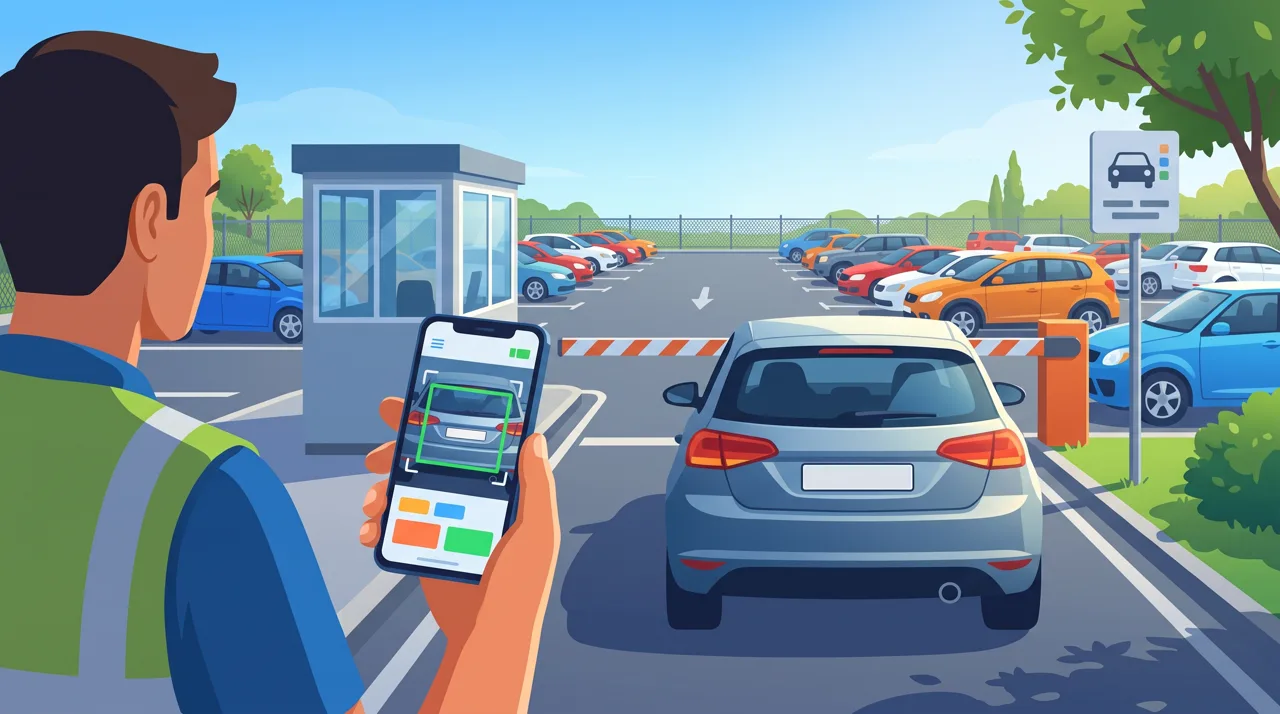
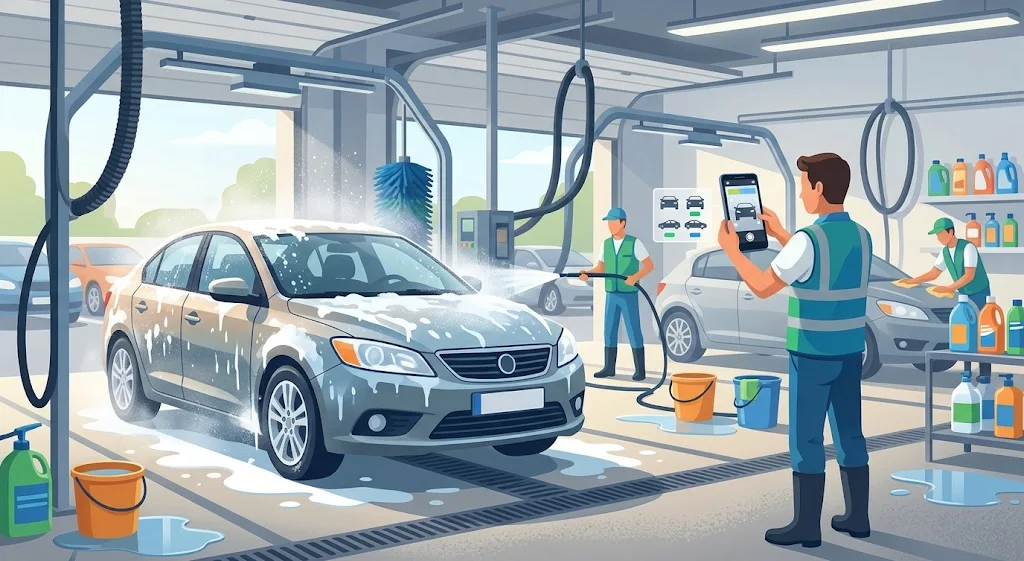
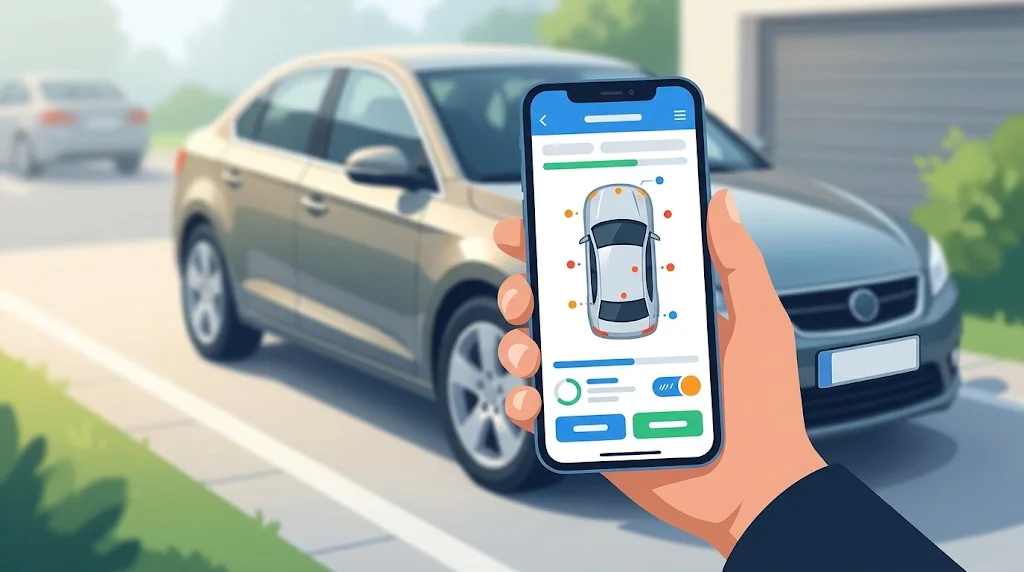
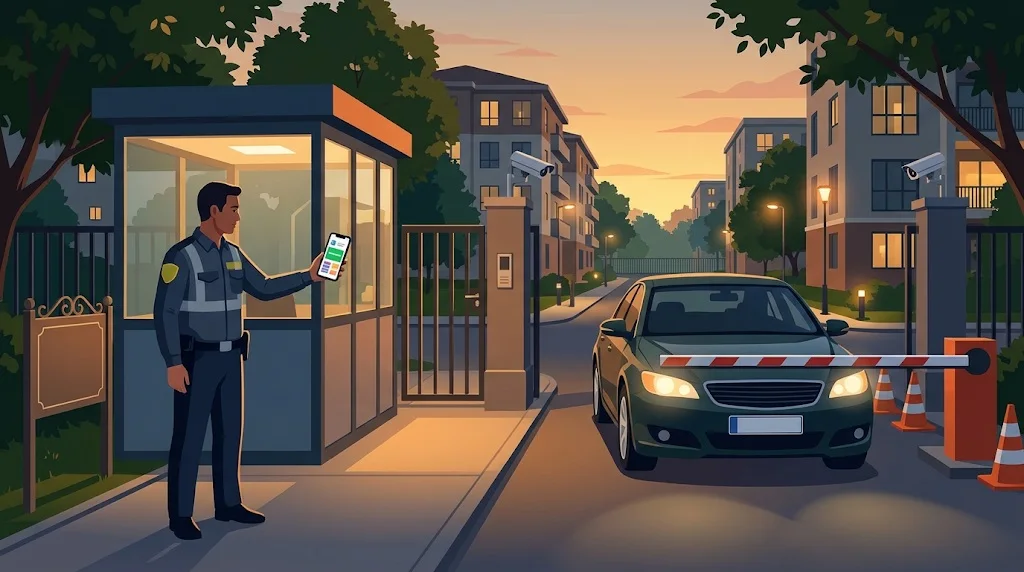
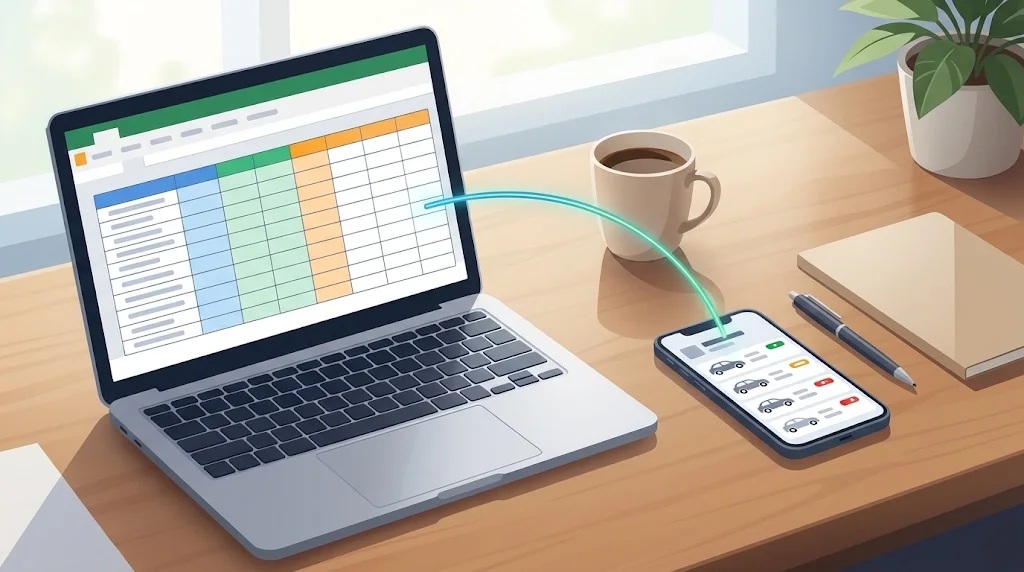
Illustrations of how the app is used
← Swipe to see more images →
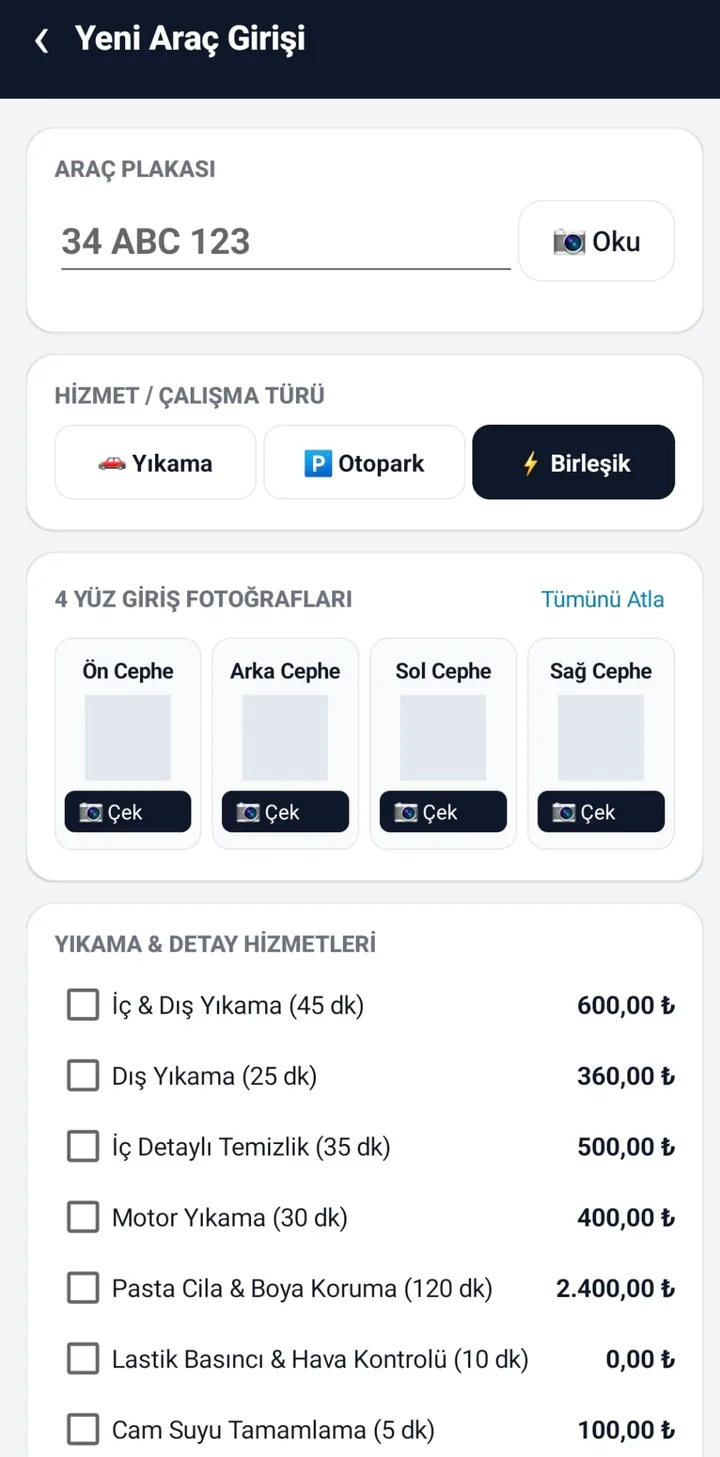
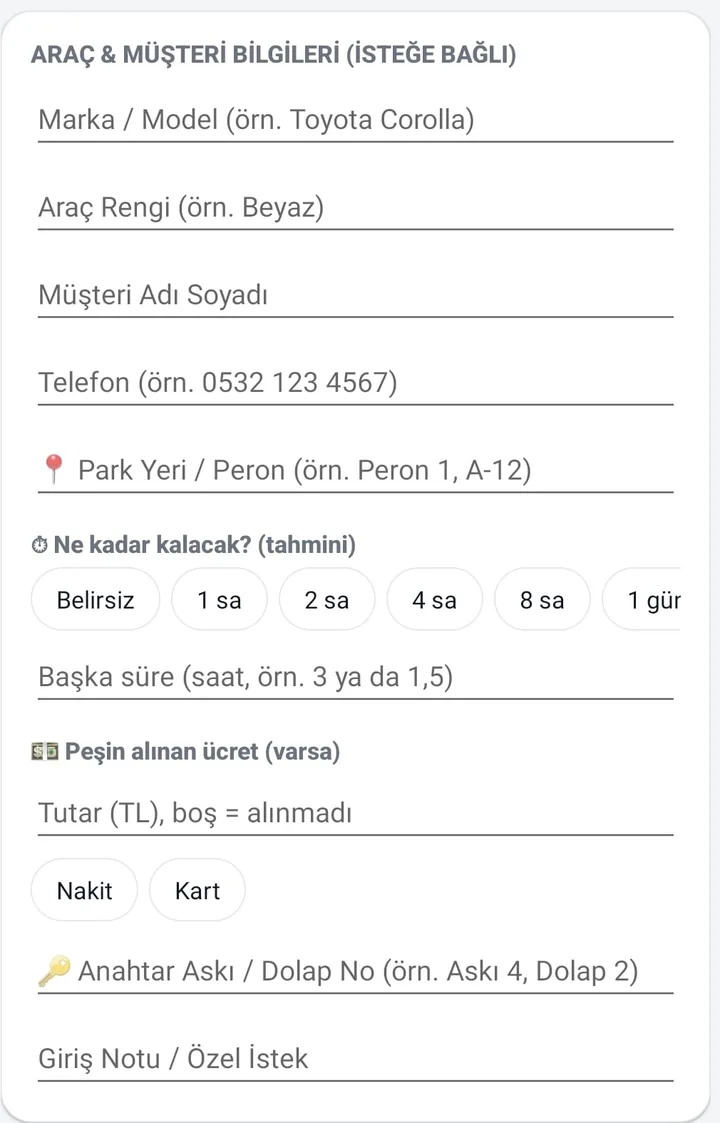
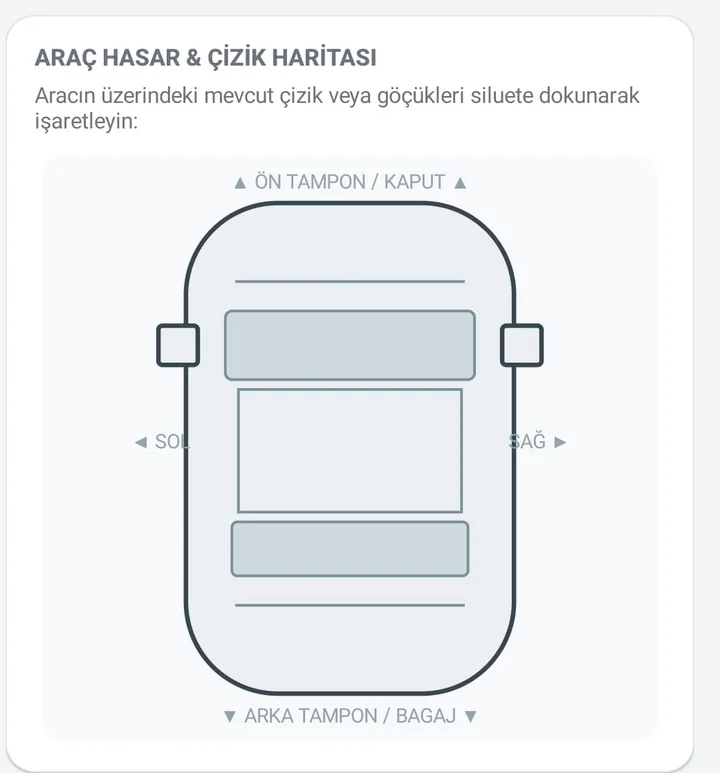
These images are AI-generated illustrations for demonstration purposes; real app screens are shown below.
App screenshots
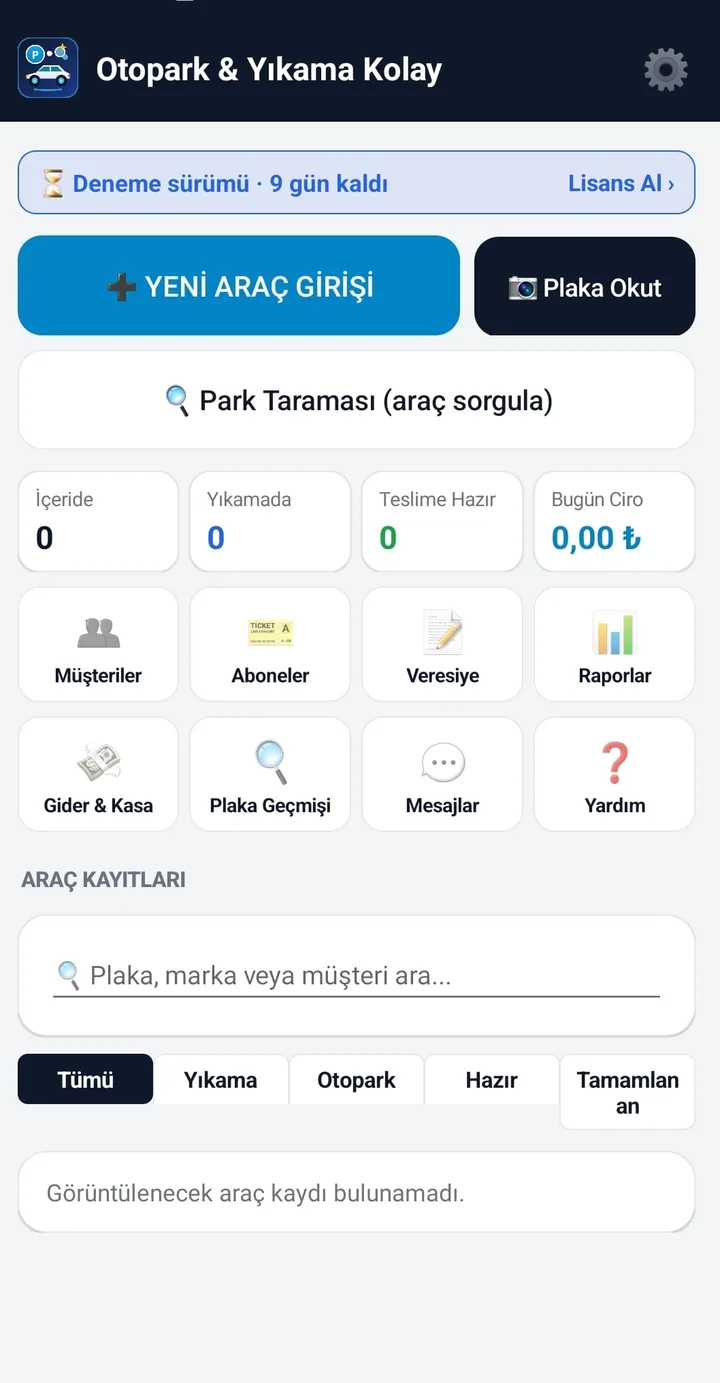
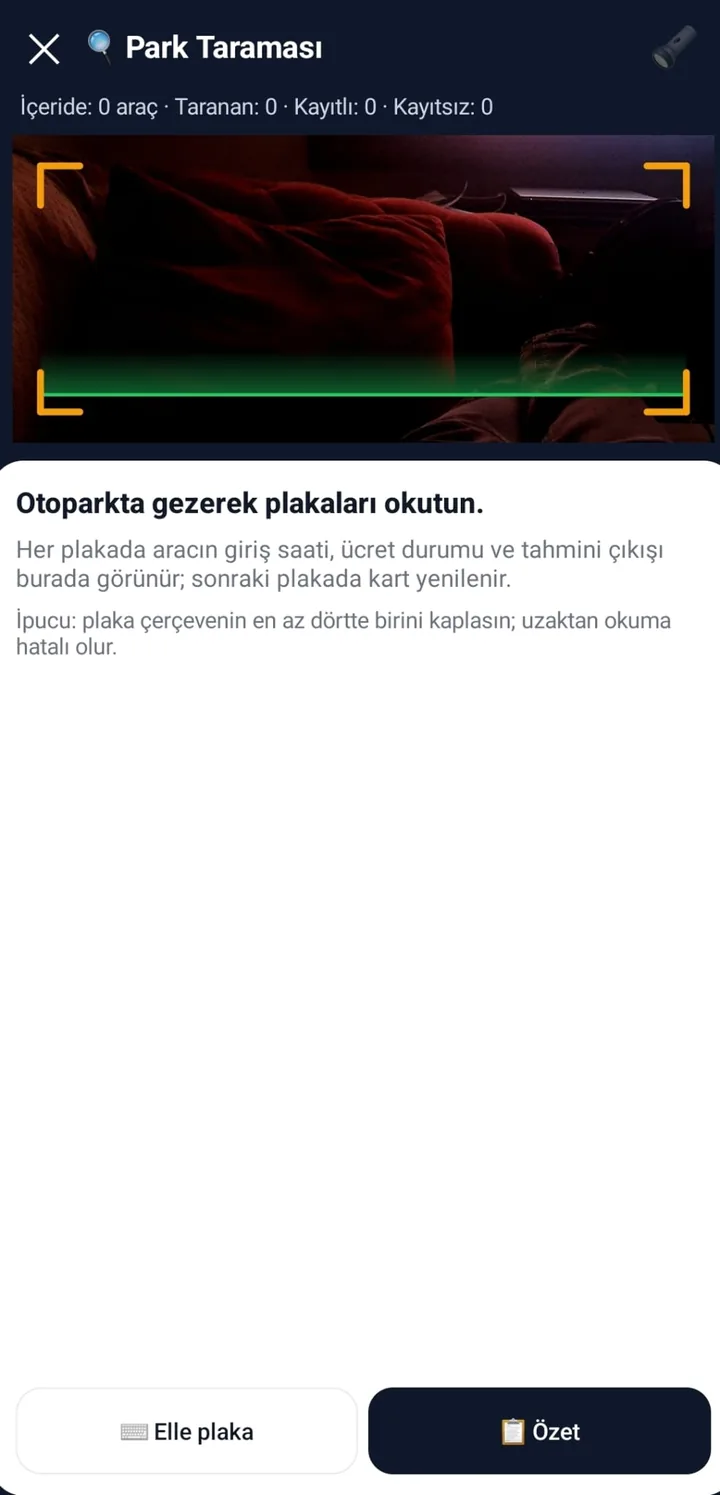
← Swipe to see more images →
Choose what the device is for (roles)
On first launch the app asks what the device will be used for, and you can change it later in Settings > Operation Mode:
| Role | What you see |
|---|---|
| Parking | Check-in with plate scan, parking tariff and fee, subscribers, lot sweep, cash book. |
| Car wash | Work orders (waiting → washing → check → ready → delivered), service price list, four-side photos and damage map. |
| Parking + Wash | Both of the above together. |
| Security point (site / gate) | Gate check by plate scan: resident, guest or courier inside, visited today, blacklisted or unknown; guest register; a site vehicle list you load from Excel/CSV. Parking and wash screens are hidden. |
Security Point mode (site, apartment, factory or gate checkpoint)
Use a phone as a standalone checkpoint: no desktop program, camera system or barrier is needed. The data is stored on the phone. Details for sites, construction sites and factory gates: see Güvenlik Kolay Mobile (/en/mobile-security-point/).
- Gate Check: scan a plate (or type it). The result is shown in a large colour band: green = resident vehicle, amber = guest/courier currently inside, grey = visited today and left, red = blacklisted or not on the list. Similar-looking plates (V/I, O/D…) are flagged as 'not an exact match'.
- Resident details: unit, owner, vehicle and colour, whether it is currently inside, and a one-tap button to call the unit.
- For an unknown vehicle: Register guest / courier entry (unit visited, person, phone, visitor name, type), Save as resident vehicle, or Add to blacklist. When the guest leaves, tap Check guest out; the entry time and time spent are shown.
- Site List: vehicles, guests and blacklist in one place, searchable, with add/edit/delete and CSV export.
- Construction / factory fields (optional, off by default): company or subcontractor, vehicle type (truck, mixer, trailer truck…), trailer / second plate and waybill or seal number on the guest entry; Site List > Backup / report gives a trip count report by day, company and vehicle type and a pass-records CSV. It counts entries; there is no waybill verification or weighbridge link.
- Backup and cleanup: share all vehicles, guests and the blacklist as one backup file, restore it on another phone (it overwrites existing records after a confirmation), and delete guest records older than 30/90/180/365 days that have left; guests still inside are kept.
- Photo notes for wrong parking or abandoned vehicles can be taken from the same screen and shared.
- Optional: if you also use the Güvenlik Kolay desktop program, pick its field-list file (e.g. from Google Drive) in Settings and the two lists are merged; local records take priority.
- New records follow the licence rules; looking up a plate always works.
Loading vehicle and owner data from Excel / CSV
Open Site List > Excel / CSV (or Settings > Site Vehicle List) and pick an Excel (.xlsx) or CSV file. With a header row the column order is free; Turkish, English and Arabic headers are recognised.
| Column | Header examples | Note |
|---|---|---|
| Plate | plate, plaka, license plate, registration, اللوحة | Required; spaces and dashes are ignored. |
| Unit / flat | unit, apartment, flat, daire, الشقة | |
| Owner / resident | owner, name, malik, ad soyad, المالك | |
| Phone | phone, mobile, telefon, gsm, الهاتف | Used for the call button. |
| Type | type, kind, tür | Resident, tenant, staff… |
| Vehicle | vehicle, make, araç, marka | |
| Colour | colour, color, renk | |
| Note | note, not, remarks |
An existing plate is updated; nothing is deleted. Without a header the order is: plate; unit; owner; phone; type; vehicle; colour; note.
Parking: plate scan, tariff and fee
- Plate reading with the phone camera (a small window reads only the plate area to reduce heat and misreads); you always check and can correct the plate. A warning appears if the plate already has an open record.
- Four-side photos stamped with plate, date and entry/exit stage, plus a damage map on a car silhouette. They are a visual condition record of the handover, not legal proof or a guarantee of any outcome.
- Tariff you define: free minutes, first-hour fee, interval length and fee, daily cap; the fee is computed to the minute at exit. A clock-tampering warning appears if the phone clock is set back.
- Estimated stay and prepaid fee at entry (cash/card); at exit the prepayment is deducted and any excess is booked as a refund. Parking bay names are chosen with one tap.
- Lot sweep: walk the lot scanning plates; each car shows entry time, time elapsed, bay, fee and estimated exit; an unregistered car is flagged red and the summary lists cars not seen.
- Subscribers (monthly/period): remaining days, extension, an expiry reminder message; a subscriber car is recognised at entry and the fee is zero.
- Scan speed (Sensitive / Balanced / Economy) and plate confirmation (1–3 identical reads) in Settings.
Car wash: work orders, services and checks
- Service list and prices are yours. Work flows Waiting → Washing → Check → Ready → Delivered; the check form notes tyre pressure, washer fluid and oil level.
- A 'your car is ready' message opens ready-to-send in WhatsApp (you press send); campaign messages are queued only for customers whose message consent you ticked.
- Customer directory and plate history: all past visits, total spend and average stay for a plate.
Cash, credit, expenses and reports
- Payment: cash, card or customer credit (credit ledger with collections and statements).
- Expenses and net cash by category (rent, supplies, bills, staff…).
- Daily/monthly reports, per-plate view, Excel/CSV export, PDF handover receipt and Bluetooth thermal receipts (58/80 mm). Receipts are information documents, not fiscal receipts.
- Backup: database backup/restore and Google Drive backup. Photos are not included in the backup file.
Language packs and plate recognition packs
Language: the interface is Turkish and English. For another language (e.g. Arabic) share the translation template from Settings > Language, fill column 3 in Excel, save as .tsv and load it; add #rtl=1 for right-to-left languages. Untranslated text stays in English; we do not ship ready translations.
Plate recognition pack: the built-in rules read Turkish plates. For another country load a plate pack (a small JSON file) in Settings > Plate Recognition Pack. It defines the plate format (regular expressions), country-band words to ignore (such as 'D' on German plates) and look-alike character fixes (O/0, I/1, S/5, B/8…). A sample file (Germany) can be shared from the same screen to use as a starting point. While a pack is loaded the Turkish rules are off; remove it to return.
- The text reader on the phone is unchanged (Latin script). Plates in Latin letters and Western digits are read, including Gulf plates that carry both scripts if the Latin line is legible; plates written only in Arabic, Chinese or other scripts cannot be read.
- We have not tested foreign plates in the field yet; accuracy depends on light, angle and plate cleanliness, and you can always correct the plate by hand.
- Plate packs are prepared by you or your integrator; we can help write one for your country on request.
What it does not do (limits)
- It does not control cameras; plates are scanned by a person with the phone. The Security Point role can optionally open a gate with a Shelly relay (see Güvenlik Kolay Mobile); for camera-based automatic gates see our Windows program Güvenlik Kolay.
- No staff accounts, bonuses or multi-device sync; all records are on one phone.
- Messages are not sent automatically; ready messages open in WhatsApp/SMS and you send them.
- Photos stay on the phone and are not part of backup files.
- Not a fiscal cash register; receipts and PDFs are not legal documents.
- Security Point does not notify residents automatically; you can call the unit from the result screen.
- Personal data (plates, names, phone numbers, photos) are processed on the device; the business is responsible for its notice and retention duties (KVKK/GDPR).
Price, trial and licence
- Per-device, perpetual licence: 29 USD + VAT. No subscription. The first 3 months of updates are included.
- The first 10 days are free with all features; the trial is kept on the server so reinstalling does not reset it. After the trial new records are locked; existing records, check-out, payments and reports keep working.
- Android 12 or newer is required.
Frequently asked questions
What is Parking, Car Wash & Security Point Easy?
An Android app for car washes, parking lots, valet services and site/apartment security points: plate reading by phone, photos and damage map, parking tariff, subscribers, customer credit, cash book, and a gate-check mode with a guest register.
Can I use it as a security checkpoint for a housing complex without a desktop program?
Yes. Choose Security point as the device role. Load your resident vehicles from Excel/CSV or add them by hand; scanning a plate shows resident, guest inside, visited today or blacklisted, and you can register guests, check them out and blacklist plates. Everything is stored on the phone.
How do I load my residents' vehicles?
Site List > Excel / CSV: pick an .xlsx or .csv file with columns such as plate, unit, owner, phone, type, vehicle, colour. Header order is free and Turkish/English/Arabic headers work. An existing plate is updated; nothing is deleted.
Does it open the barrier or gate?
Only optionally, in the Security Point role: with a Shelly relay set up in Settings an 'Open Gate' button appears and resident vehicles open the gate automatically. Without a relay nothing is controlled and the guard decides. For camera-based plate recognition with relay control we also offer the Windows program Güvenlik Kolay.
Does it notify the resident when a guest arrives?
Not automatically. The result screen shows the unit, owner and a one-tap call button; the guard calls the unit. There are no automatic messages.
Can I use plates from another country?
Yes, by loading a plate recognition pack for that country (Settings > Plate Recognition Pack). The pack defines the plate format and the characters to ignore. Plates in Latin letters and Western digits are read; plates written only in Arabic, Chinese or other scripts cannot be. We have not field-tested foreign plates yet.
How do I create a plate pack for my country?
Share the sample pack file (Germany) from Settings > Plate Recognition Pack, edit 'name', 'country', the 'patterns' regular expressions (for example ^[A-Z]{1,3}[0-9]{3,4}$), the 'strip_tokens' words to ignore and, if needed, the look-alike character table, then load the file. Write to us if you want help.
Can I add a language such as Arabic?
Yes. Settings > Language > Share the translation template, fill column 3 in Excel, save as .tsv and choose Load a language pack. Add #rtl=1 at the top for right-to-left languages. Untranslated text stays in English. We do not provide ready translations.
Is plate reading always correct?
No. It depends on light, angle and plate cleanliness. The screen shows the plate for you to confirm and you can always type it by hand; you can raise the number of identical reads required in Settings.
Do I need an expensive camera or a barrier system?
No. The phone camera is used. A barrier is not required; a Shelly relay can optionally be added to open a gate.
How is the parking fee calculated?
In Settings you enter free minutes, first-hour fee, interval length and fee, and the daily cap. At exit the time is counted to the minute from entry, the free time is deducted, the remainder is divided into intervals (rounded up) and the total never exceeds the daily cap. Subscribers pay zero.
Does the 'your car is ready' message go out automatically?
No. The message opens ready-made in WhatsApp and you press send. Campaign messages are queued only for customers whose consent you ticked; the consent duty is the business's.
Are photos safe and do they fill the phone?
Photos are compressed and stored only on the phone; they are not part of the backup file. They are a visual record of the vehicle's condition at handover, not legal proof.
Is there staff or bonus tracking?
No. There are no staff accounts or bonus calculations; records are at business level.
Does it work without internet?
Yes. Internet is only needed for the licence check, updates and Google Drive backup.
Which phones are supported?
Android 12 or newer. There is no iPhone version.
How do I back up and move to a new phone?
Settings > Backup creates and restores a database backup, and Google Drive backup is available; photos are not included. The licence is bound to the device, so write to us for a device transfer.
What does it cost and is there a trial?
29 USD + VAT per device, perpetual, no subscription; the first 3 months of updates are included. The first 10 days are free with all features; after that new records are locked while check-out, payments and reports still work.
Is it a fiscal cash register or invoice program?
No. Receipts, PDFs and reports are information documents. For tax obligations (cash register, invoices) ask your accountant.
Is it on Google Play?
Not yet; it is being prepared. For now download the APK from kucukis.com (the download page shows the SHA-256 checksum) and follow the APK install guide.
How do I spot outside vehicles at the entrance of a housing complex?
In Security Point mode you load your residents' plates from Excel. At the gate you scan a plate with the phone camera and see it as resident (green), guest or courier inside (amber), visited today (navy), or blacklisted / not on the list (red: possibly an outside vehicle). The guard decides; the app does not stop a car or open a gate.
Is there a guest vehicle register app for apartments and gated communities?
Yes. Parking, Car Wash & Security Point Easy records guest or courier entries with plate, unit visited, person and phone, and you tap 'Check guest out' when they leave; entry time and time spent are shown. Data stays on the phone.
Is there a parking app that reads license plates with a phone?
Yes. It reads the plate with the phone camera, you confirm or correct it, and it computes the parking fee to the minute from your free time, first hour, interval and daily cap. No extra camera or barrier is needed.
How can I find strangers' cars parked on my site or lot?
With Lot sweep the attendant walks the lot scanning plates; a car with no record is flagged red. In Security Point mode a plate that is not in your list is marked 'not on the list'. To find whose car it is, check the guest register and the owner list.
How do I move a vehicle list from Excel to the phone?
Site List > Excel / CSV: pick an .xlsx or .csv with plate, unit, owner, phone, type, vehicle, colour columns; header order is free. An existing plate is updated; nothing is deleted.
Is there a free license plate recognition app for an apartment car park?
You try every feature free for 10 days; after that a per-device perpetual licence is needed. After the trial new records lock, but lookups keep working.
Can one app run both a car wash and a parking lot?
Yes. Choose 'Parking + Wash' when the app first asks what the device is for; both wash work orders and the parking tariff open. If you do only one, pick only that and the other screens are hidden.
Can it read foreign license plates (for example German or Gulf)?
With a plate recognition pack for that country: Latin letters and Western digits are read; plates written only in Arabic or other scripts cannot be. It has not been field-tested on foreign plates yet.
Does it work in Arabic?
With a language pack: share the translation template, write the Arabic translations in column 3 in Excel, save as .tsv and load it; add #rtl=1 for right-to-left layout. We do not ship a ready Arabic translation.
Can a security guard run a gate check with just a phone, no computer?
Yes. Security Point mode works on its own on the phone. You can optionally merge the Güvenlik Kolay desktop field-list file; for camera-and-relay automatic gates use the Güvenlik Kolay Windows program.
How do I count truck and mixer trips at a construction site gate?
Turn on the construction / factory fields in Settings > Site vehicle list: the guest entry then records company or subcontractor, vehicle type, trailer and waybill number. Site List > Backup / report > Trip count report gives entries by day, company and vehicle type, and the pass records export to Excel as CSV. It counts entries and does not verify waybills.
How do I back up the site list and guest records on a security-point phone?
Site List > Backup / report > 'Back up the site list' shares all vehicles, guests and the blacklist as a file; restore it on another phone with 'Restore from backup'. The same menu deletes guest records older than 30/90/180/365 days.