
Barkodlu Satış: Phone Barcode POS, Stock and Customer Credit — All Features and FAQ
Pds Mühendislik · Updated: 24.10.2026
Screenshots and videos
Illustrations of how the app is used
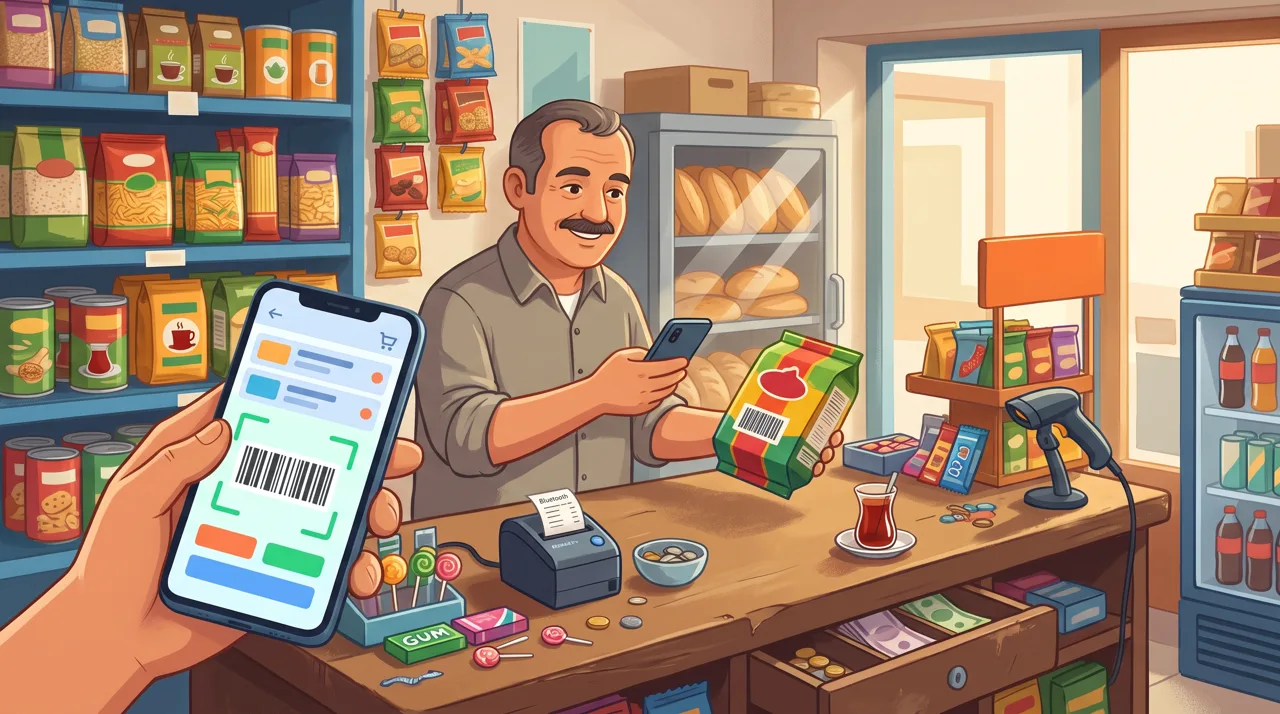
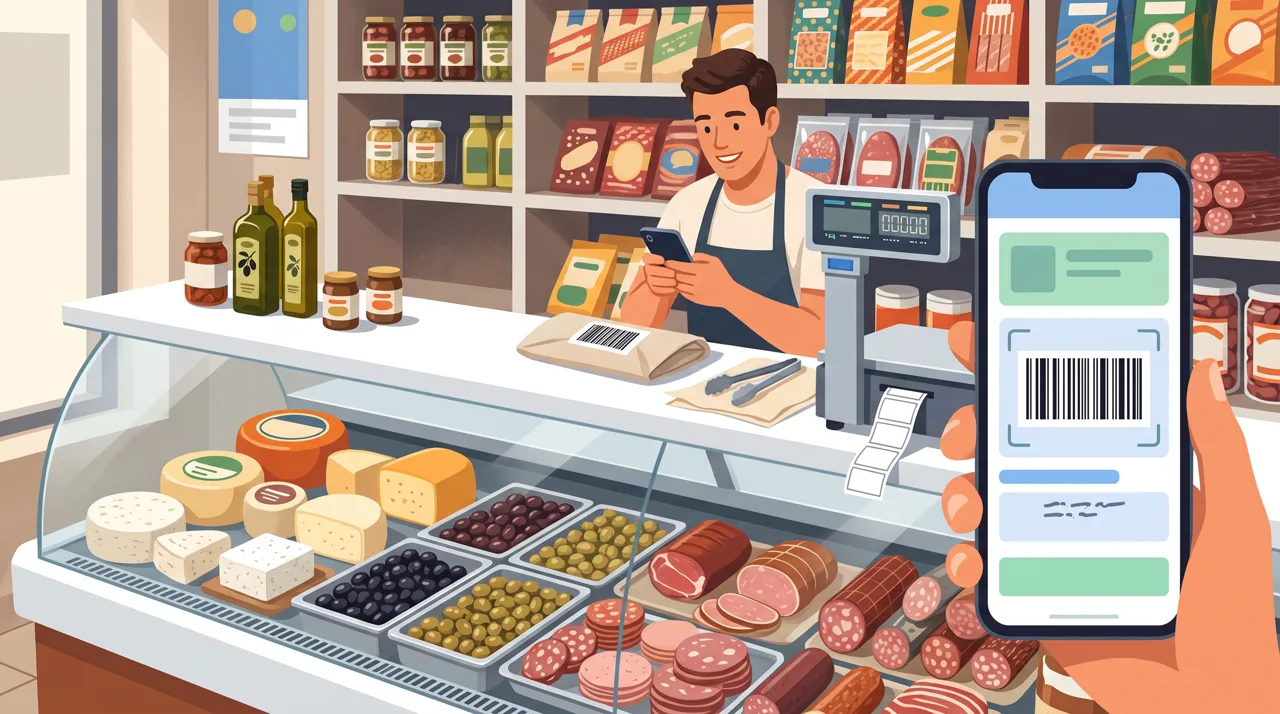
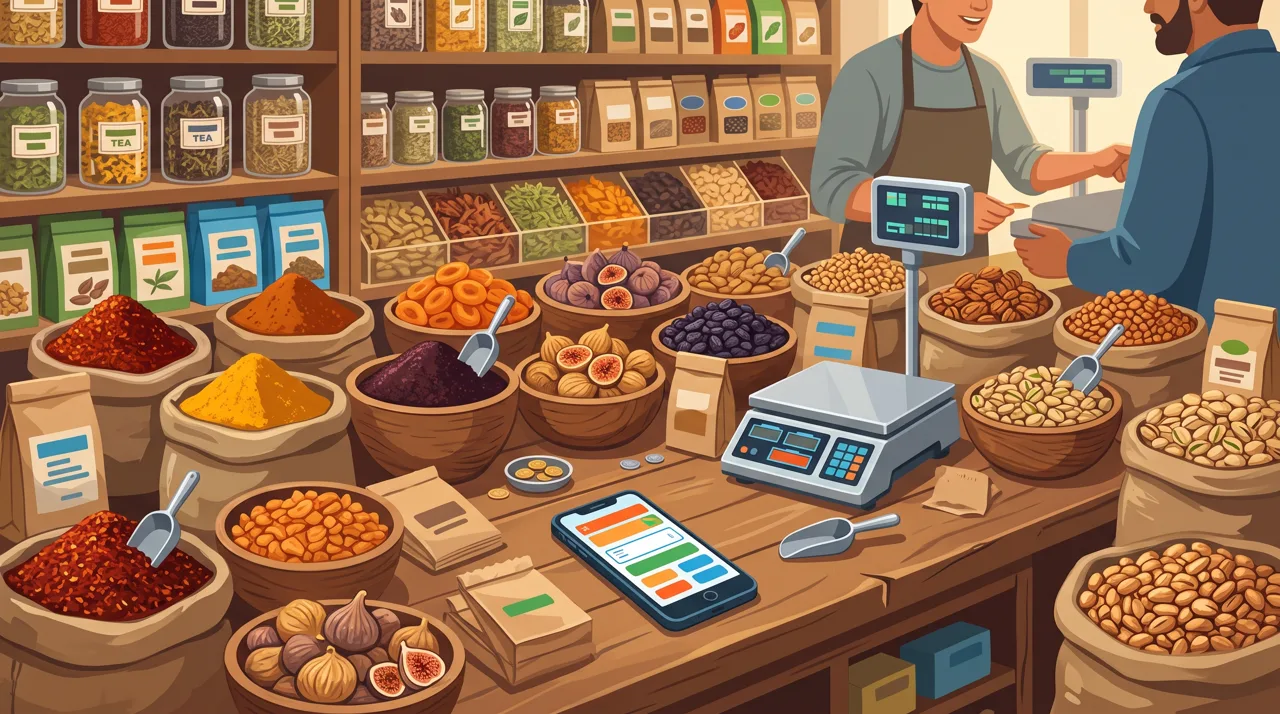
← Swipe to see more images →
These images are AI-generated illustrations for demonstration purposes; real app screens are shown below.
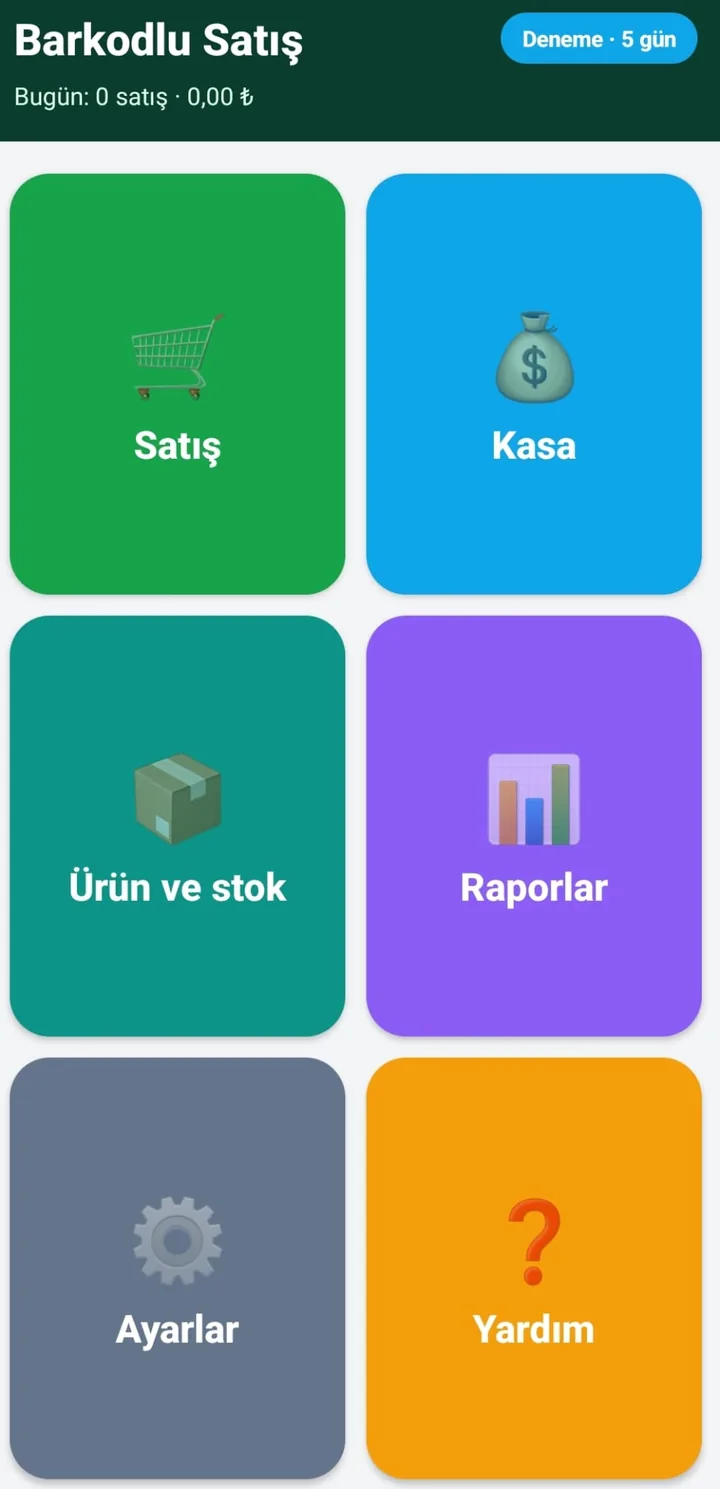
App screenshots
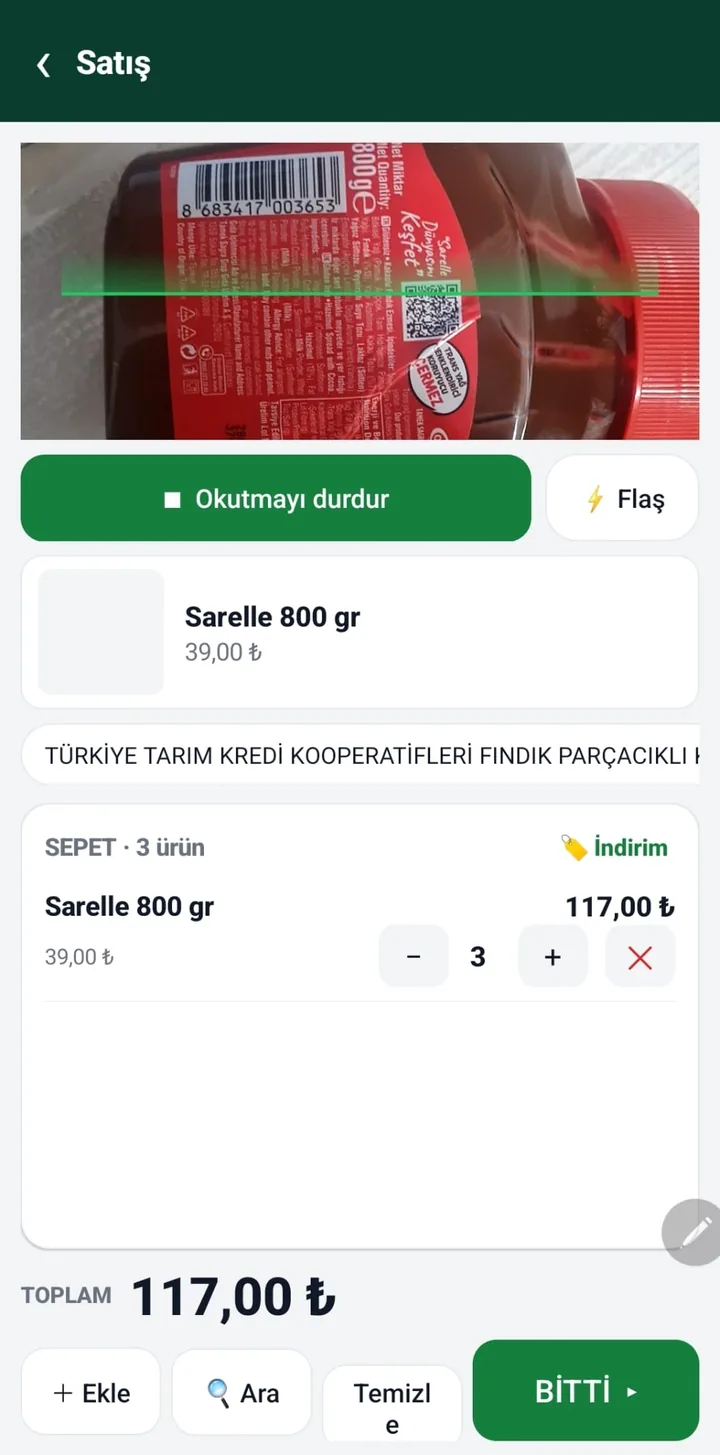
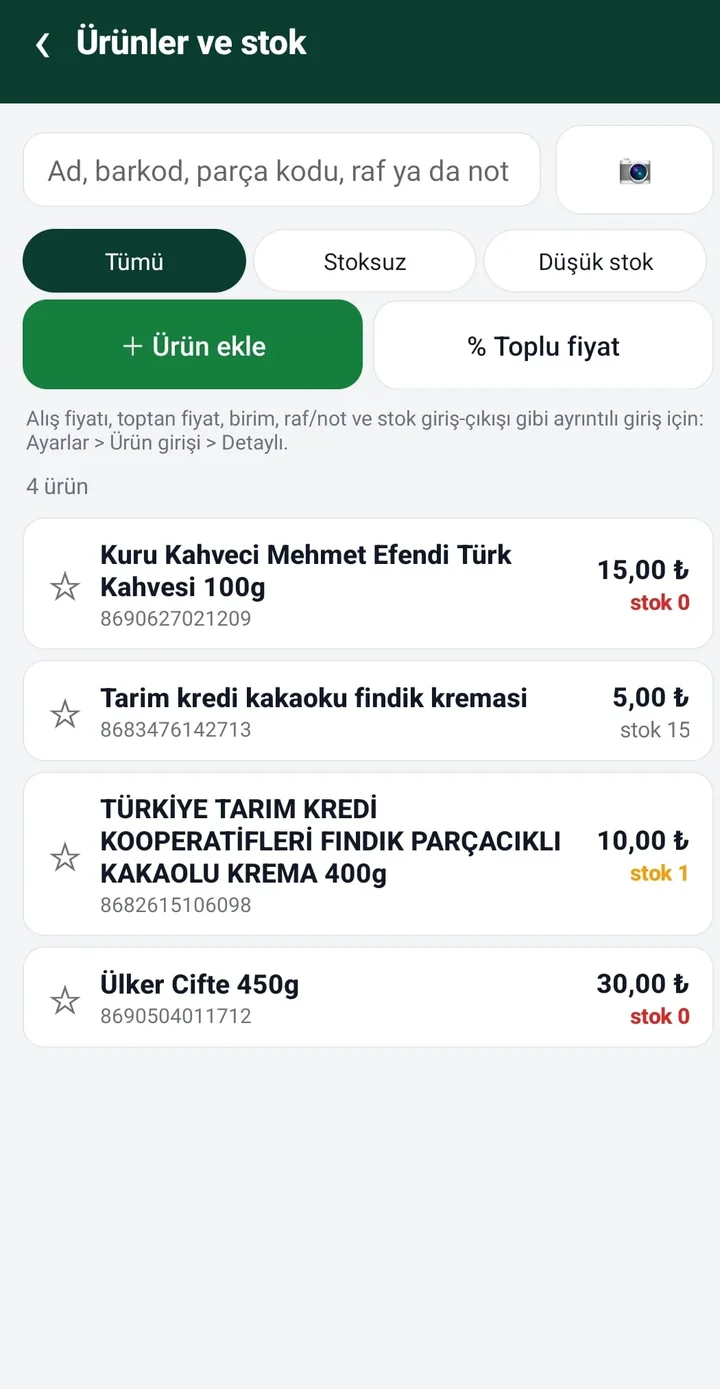
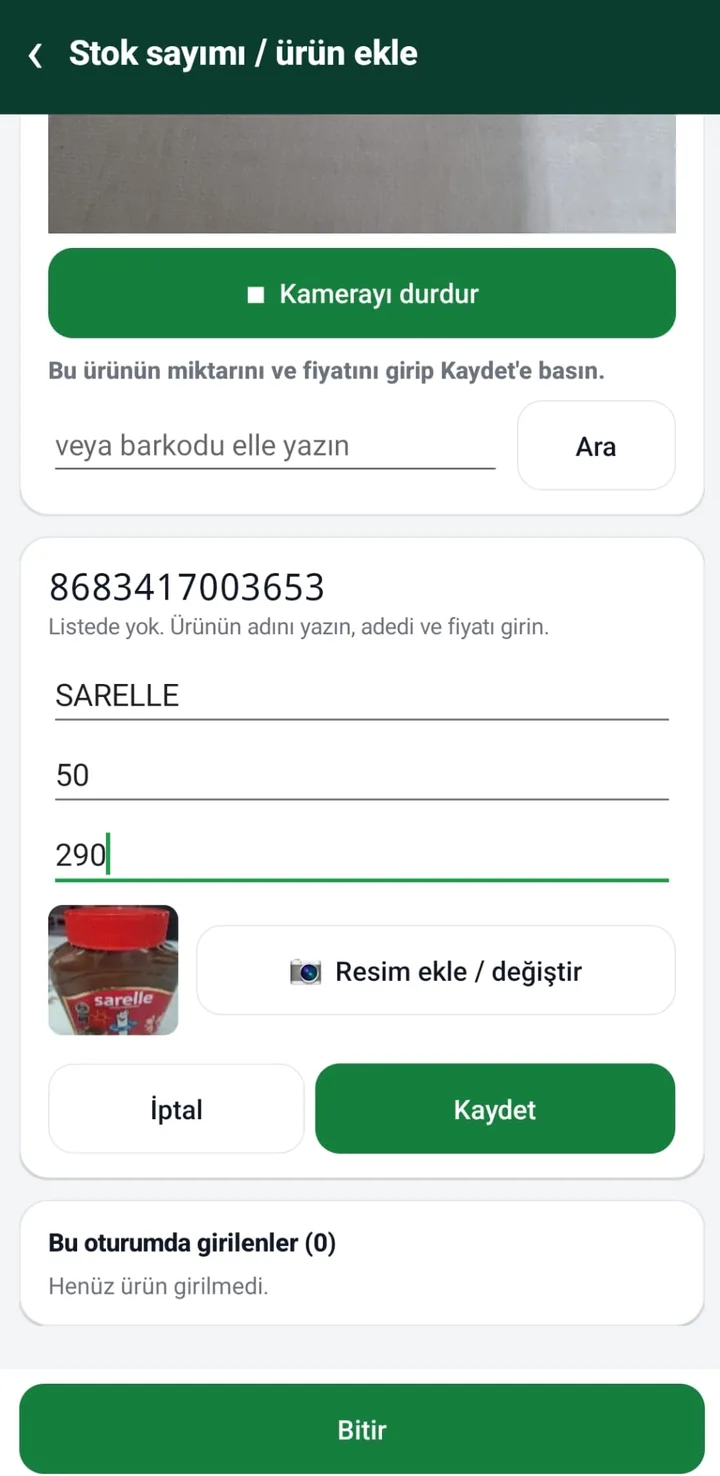
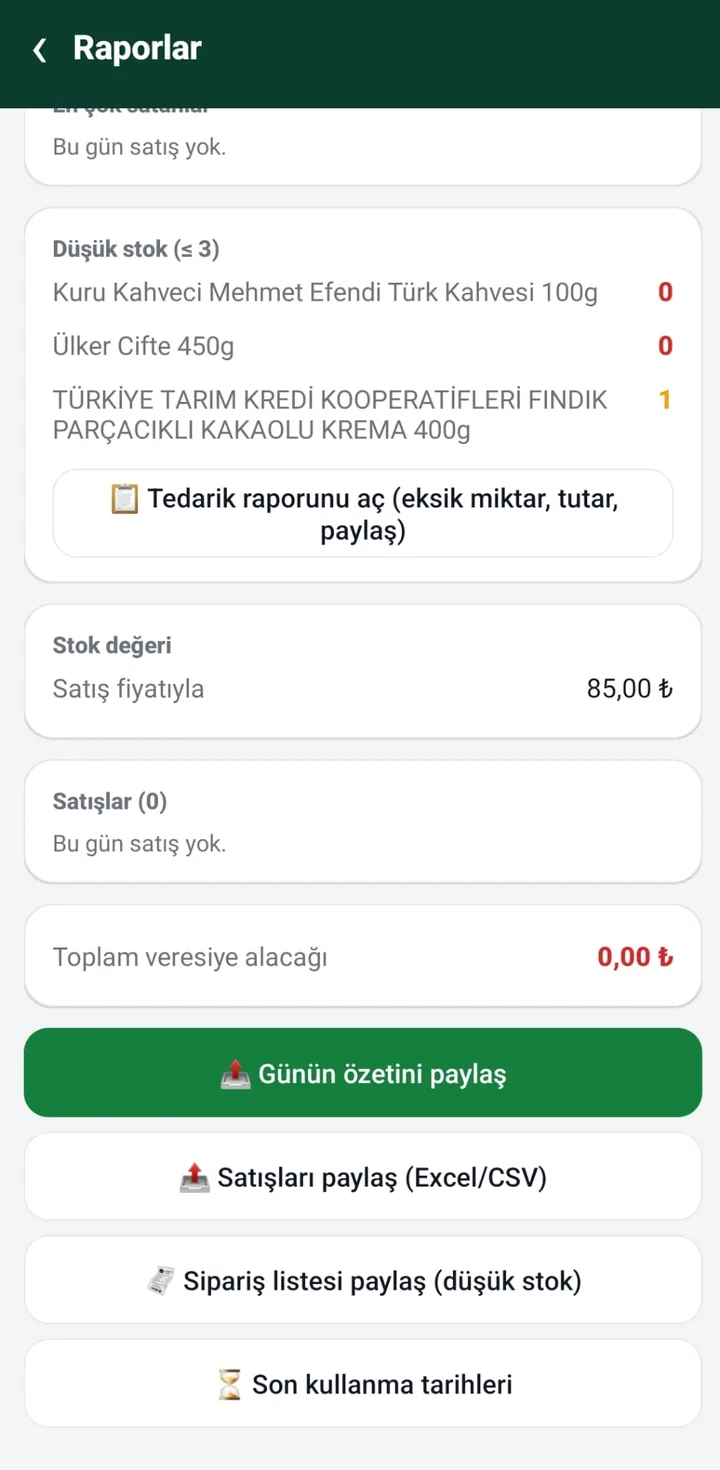
← Swipe to see more images →
Who is it for? How each business type uses it
The app works around one screen (Sales); you switch on only the options your shop needs. The table shows how different shops use it.
| Business | How it is used | Options to switch on |
|---|---|---|
| Grocery, market | Scan, sell, record credit, close the day. About 23,000 barcoded product names are built in; you enter the prices. | Simple entry mode is enough. Customers for credit. |
| Tobacco & liquor shop | Scan packs and bottles and sell by piece; loose drinks can be sold by litre. Age limits and sales restrictions are the shop's responsibility; the app does not enforce them. | Detailed mode (cost price, minimum stock); optional: Held sales. |
| Delicatessen | Cheese, olives, cold cuts and other loose goods are set up in kg; in the quantity box type 250g, 500 gr or 1.5. With a barcode scale, just scan the label. Packaged goods sell by normal barcode. | Detailed mode; Advanced features > Weighed product barcode. |
| Spice, nut and dried-food shop | Loose goods in kg, packs by piece. Quantities such as 100 g, 250 g or 1.5 kg are typed in grams or kilos; the price is computed from the per-kg price. | Detailed mode; optional: Weighed product barcode, Product groups. |
| Perfumery, cosmetics | Bottles by piece, loose/essence perfume by ml or gram (type 50ml or 0.05 l). Use the note field for model and code. | Detailed mode; optional: Product images, Product groups. |
| Agri-chemicals / fertilizer dealer | Fractional quantities (kg, litre), credit for farmers, wholesale price. Keep the licence and sales records the law requires yourself; you can store a licence number in the note. | Detailed mode; Credit limit (optional). |
| Hardware store | Loose goods (screws, bolts, pipe) with a kg/piece/metre unit and an automatic code; scan branded items once to save them. | Detailed mode; Extra barcode / carton. |
| Spare parts, auto | Items without a barcode get an automatic code (KD000001); put part code, vehicle model and shelf in the note/shelf field; search finds by name, code, note and shelf. | Detailed mode; Product groups. |
| Van (mobile) wholesaler | No internet needed. Use the Wholesale button for wholesale prices, credit and collections; record goods loaded onto the van with Stock in. | Detailed mode (wholesale price); Split payment. |
| Service / parts store | Record Stock in (receiving) and Stock out (for a technician/job) without a sale; items below minimum stock go on the supply report. | Detailed mode; Supplier ledger. |
One rule for all of them: the built-in product list covers barcoded goods sold in Turkey and may be incomplete; for loose (barcode-less) goods you define each product once.
What do I need to get started?
- An Android 12 or newer phone or tablet (older Android versions cannot install it or show an 'unsupported' notice and close).
- Camera permission if you scan with the phone camera; or a USB (OTG) / Bluetooth scanner in keyboard (HID) mode.
- No computer, cash-register device or constant internet connection. The internet is used only for the first licence check, updates and Google Drive backup.
- Installation: download the APK from kucukis.com and install it (see the APK install guide). It is not on Google Play yet; we will announce it when it is.
On first launch a setup wizard appears: scan the products on your shelves, the name comes from the built-in list (or type it), then enter the current quantity and selling price. The wizard is optional; you can also add products while selling.
Core features (all on by default)
- Sales: scan a barcode and the item enters the cart; change quantity or price, give an amount or percentage discount, quick-sale shortcuts (starred items and your best sellers of the last 30 days), 🔍 Find for items without a readable barcode.
- Payment: cash (change is calculated), card, or on credit (customer is selected).
- Customer credit book: per-customer debt, collections, statement sharing and debt reminders (a ready WhatsApp message opens; you press send).
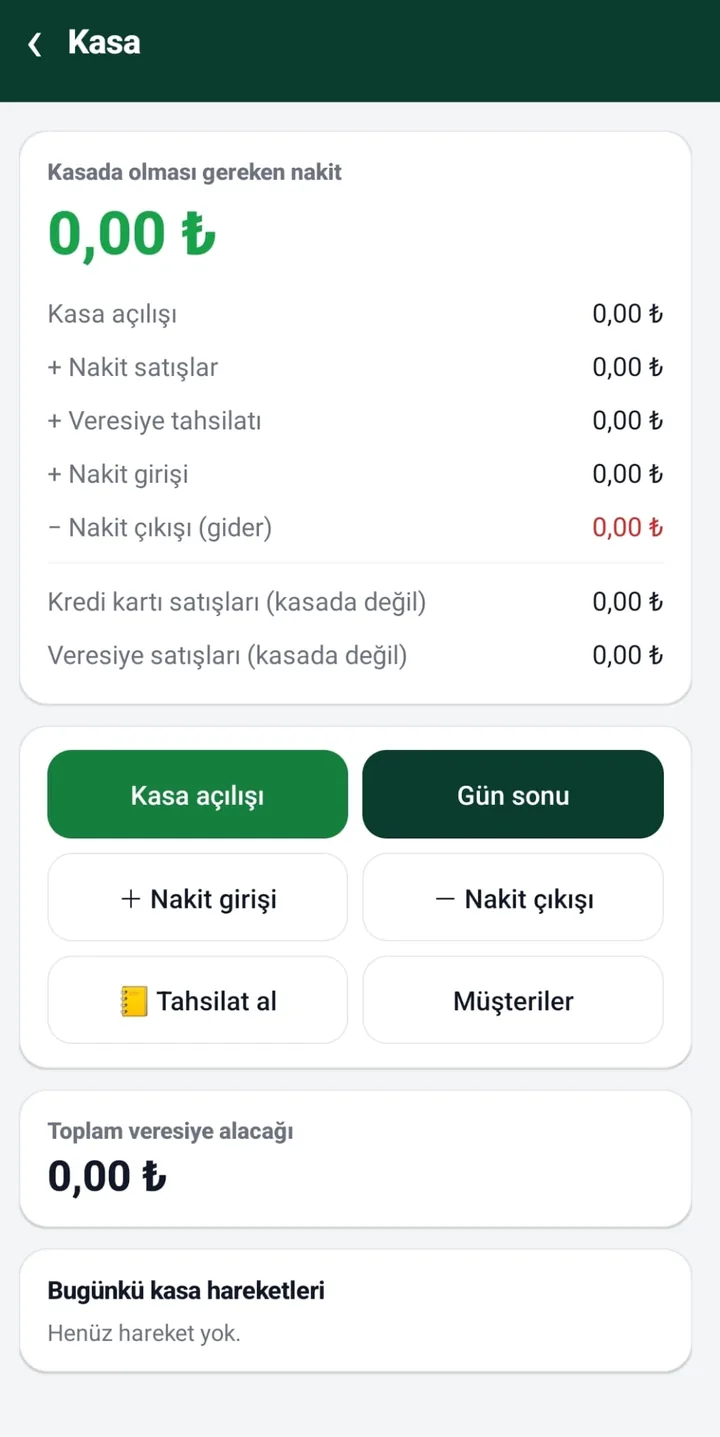
- Cash book and end of day: opening amount, cash in/out, counted cash versus expected cash. Card and credit sales do not enter the drawer.
- Stock: stock in (receiving), stock out (waste/service), counts, low-stock limit, per-product minimum stock, stock movements, stock value.
- Supply report: items below their minimum, the shortfall and an estimated order amount if cost prices are entered; shared by WhatsApp or Excel (CSV).
- Reports: day summary (cash/card/credit split, discounts), sales list, best sellers, low stock, expiry dates, estimated profit.
- Voiding a sale: a wrong sale is voided from Reports and the stock is restored.
- Receipts and labels: share the receipt or print it on a Bluetooth thermal printer (58/80 mm); product barcode labels can be printed too.
- Sector product templates: from Settings or the setup wizard, common product names for hardware (81 items), stationery (59), pet shop (39) and kiosk/cafe (38) are added in one tap; they have no price or barcode, the first sale asks for the price and remembers it. A product with the same name is not added twice.
- Order message: from the supply report, products below their minimum come ready for WhatsApp as a 'product — quantity' list sorted by product group; you choose the supplier in WhatsApp (products are not linked to suppliers).
- Product images (optional): the image shows when the item is scanned; images are stored small.
- Backup: share a backup file and restore it; daily automatic Google Drive backup (the last 14 are kept) and restore from Drive.
Optional advanced features (Settings > Advanced features, OFF by default)
Not every shop needs every feature, so all of these ship switched off; turn on only what you need. Turning one off does not delete data; screens simply become simpler again.
| Feature | What it does |
|---|---|
| Held sales | Park the cart when another customer steps in, then resume it from 'Held sales'. |
| Product returns | Pick the returned item; the refund is paid in cash (counted as a cash-out), by card (record only) or deducted from the customer's credit balance; stock is added back; returns and net revenue appear in reports. |
| Split payment | Split one sale into cash + card + credit. The amounts you type must cover the total exactly (there is no change calculation in this mode). |
| Credit limit | A general limit and a per-customer limit. When a sale would exceed it, the app warns; it does not block, you confirm. |
| Supplier ledger | Records goods bought from a wholesaler as a debt and payments as reductions; a payment made from the drawer is also logged as a cash-out; statements can be shared. |
| Product groups | Give products a group name (Dairy, Cleaning…) and filter the product list by group. |
| Extra barcode / carton | Link a carton or second barcode to a product and set how many pieces it adds when scanned (e.g. carton = 24). |
| Weighed product barcode | Scanning a barcode-scale label adds the product with the weighed quantity (details below). |
| Age warning (tobacco/alcohol) | When a product whose group name contains words like Tobacco, Alcohol, Cigarettes enters the cart, an 'check the customer's age' confirmation appears (also for cartons and manual entry). The app does not verify age or ID; legal responsibility stays with the business. |
| App PIN and cashier | Asks for a PIN at launch and after 2 idle minutes. The owner PIN opens everything; with the cashier PIN, Settings, Reports, Suppliers and cost prices are hidden. An 8-digit recovery code is shown when the PIN is first set; if you lose that too, the PIN cannot be reset (other than reinstalling), so keep regular backups. |
Weighed items (scale labels) and selling by gram / ml
A barcode scale prints a 13-digit (EAN-13) barcode on the label: the first digits say the label belongs to a weighed item, the next digits are the product code (PLU), the next digits carry the weight in grams or an amount, and the last digit is the check digit. Barkodlu Satış decodes the label when you scan it.
- Turn on Settings > Advanced features > Weighed product barcode and enter your scale's format: prefix, PLU digits, value digits (13 in total) and whether the value is grams or an amount in cents. Default: prefix 28, 5 PLU digits, 5 value digits, grams. Type the barcode from a label into the test field to check the setting.
- Add the product in Products & stock with the PLU as its code and kg as its unit. Example: label 2800123012502 = prefix 28 · product code 00123 · weight 01250 g (1.250 kg) · last digit check.
- If your scale prints an amount instead of weight, choose 'amount'; the app divides it by the per-kg price to get the quantity.
- Label formats (prefix and digit counts) differ between scale brands, which is why they are configurable. Test once with your own scale's label.
- Without a scale: in the quantity box of a kg product type 250g, 500 gr, 1.5 or 1.5kg; for a litre product type 50ml or 0.05 l. A bare number is in the product's own unit (0.25 for a kg product = 250 grams).
Importing your product list from Excel or CSV
If you already have a product list you do not have to type it in: Settings > Products > 'Import product list (Excel / CSV)'. Pick an Excel (.xlsx) or CSV/TSV file. With a header row the column order is free; without one the order is fixed.
| Column | Recognised headers (examples) | Note |
|---|---|---|
| Barcode | barcode, barkod, code, ean | If empty, an automatic internal code is assigned. |
| Product name | name, description, ad, açıklama | Required. |
| Selling price | price, amount, fiyat, tutar | 12.50 or 12,50. |
| Stock | stock, qty, quantity, stok, adet | |
| Cost price | cost, purchase, alış, maliyet | For estimated profit and stock value. |
| Unit | unit, birim | piece, kg, lt, metre... |
| Wholesale price | wholesale, toptan | |
| Shelf / Note | shelf, note, raf, not | |
| Minimum / Target stock | min, target, asgari, hedef | For the supply report. |
- If the barcode already exists the product is updated, otherwise added; nothing is deleted.
- Headers may be in Turkish, English or Arabic.
- The file is read only when you pick it, not continuously. To export your current list use 'Share product list' in Settings.
Language and language packs (e.g. Arabic, German)
The interface comes in Turkish and English (Settings > Language: System / Türkçe / English). For another language you can load an external language pack:
- Settings > Language > 'Share the translation template' gives you the template file (every screen text in Turkish and English).
- Open it in Excel, write your translations in column 3 and save as .tsv (tab-separated UTF-8 text).
- Choose it with 'Load a language pack'. For right-to-left languages such as Arabic put #rtl=1 at the top of the file; screens then open right-to-left.
- Untranslated text stays in English. We do not ship an Arabic or other pack; you or your translator prepares the translation.
Built-in product list and its source
About 23,000 barcodes and product names are built in (from Open Food Facts and its sister open-data projects, under the ODbL licence). When you scan a barcode that is in the list, its name appears and you only enter the selling price and quantity. The list has no prices; your business enters them. It may be incomplete or inaccurate; you can add any missing product yourself.
Data, backup and privacy
- Your products, sales, cash and credit records are stored only on your phone; the developer does not access them or send them to a server.
- Only a random device ID and the app version are sent to the server, for the licence and trial check.
- If the phone is lost or broken and you have no backup, the records are gone: back up regularly (share a file or use Google Drive).
- Names, phone numbers and balances of credit customers can be personal data; the duty to inform them is the business's. See the Privacy Policy page (Turkish).
What it does not do (limits)
- It does not issue fiscal receipts, e-invoices or e-archive invoices and is not a cash register; shared or printed receipts and summaries are not legal documents. Ask your accountant about your legal obligations.
- No multi-user, multi-branch or cloud-sync operation: data lives on one device (the cashier PIN only limits screens, it is not a separate account).
- No marketplace or accounting-software integration.
- It does not enforce age limits, licences or tobacco/alcohol sales rules; keep those records as the law requires.
- Scale-label formats vary by brand; verify the setting with your own label before relying on it.
- With more than about 100 sales a day the phone camera may heat up; for busy shops an external barcode scanner is recommended.
Price, trial, licence and updates
- The licence is per device and perpetual; there is no subscription. 29 USD + VAT.
- The first 10 days are free with all features; the trial is kept on the server, so reinstalling does not reset it. After the trial new sales are locked; existing records and reports stay visible and no data is deleted.
- Enter the licence key in Settings > License; it binds to the device. If you change phones, write to us for a device transfer.
- Updates are included for the first 3 months. The app notifies you of a new version (Settings > Check for updates); after downloading, Android may ask for install permission.
Frequently asked questions
What is Barkodlu Satış and what is it for?
An Android barcode point-of-sale, stock and customer-credit app. You scan product barcodes with the phone camera or a scanner, sell, keep the cash book and credit ledger, and close the day with a report. No cash-register computer is needed.
Does it replace a cash register or issue legal receipts?
No. It does not issue fiscal receipts, e-invoices or e-archive invoices; shared and printed receipts and summaries are not legal documents. Ask your accountant about your legal obligations.
Does it work offline?
Yes. Sales, stock, credit and the cash book work without internet; the data is on the phone. The internet is only used for the licence check, updates and Google Drive backup.
Which phones does it run on?
Android 12 or newer phones and tablets. There is no iPhone version. On older Android versions the app cannot be installed or shows an 'unsupported' notice.
Do I need a barcode scanner?
No, the phone camera is enough. For very busy shops (more than about 100 sales a day) the camera can heat up, so a USB (OTG) or Bluetooth scanner is recommended; it works in keyboard (HID) mode and is chosen in Settings > Barcode source.
Do I have to enter every product by hand?
No. About 23,000 barcoded product names are built in: scan, the name appears, and you enter price and quantity. Products not in the list are defined once. If you already have a product list, import it from Excel or CSV.
Can I import products from Excel? Which columns are needed?
Yes: Settings > Products > Import product list (Excel / CSV). With a header row (barcode, description, unit, amount, stock…) the column order is free, and headers may be Turkish, English or Arabic. Only a product name is required; an empty barcode gets an automatic code. An existing barcode updates the product.
How do I sell weighed (per-kg) goods?
Two ways: (1) With a barcode scale, turn on Advanced features > Weighed product barcode and enter your scale's label format; scanning the label adds the item with the weighed quantity. (2) Without a scale: define the product in kg and type 250g, 500 gr or 1.5 in the quantity box.
Will my scale's label work?
Prefixes and digit counts differ by brand and setting, so the format is configurable (prefix, PLU digits, value digits, grams/amount). Type a label's barcode into the test field to confirm instantly. Non-EAN-13 labels are not supported.
Can I sell by gram or millilitre?
Yes. For a kg product type 250g or 500 gr; for a litre product type 50ml; the app converts to kilos/litres and computes the price. A bare number is in the product's own unit (0.25 for a kg product = 250 grams).
Is it suitable for a tobacco and liquor shop?
For barcode sales, stock and the cash book, yes: packs by piece, loose drinks by litre. Age limits, sales-hour restrictions and similar legal checks are not performed by the app; complying with them is the shop's responsibility.
Is it suitable for a delicatessen, spice shop or nut shop?
Yes. Define loose goods in kg and sell them by typing grams/kilos or by scanning barcode-scale labels; packaged goods use normal barcodes. With cost prices entered, estimated profit and stock value appear in Reports; expiry-date tracking (Detailed mode) helps with fresh goods.
Is it suitable for a perfumery?
Yes. Sell bottles by piece and loose/essence perfume by ml or gram; put model and code in the note field. You can also turn on product images to see the picture when an item is scanned.
How does the credit book work?
Choose Credit as the payment and select the customer; the amount is added to their debt and no cash enters the drawer. When you collect, the debt falls and the money enters the cash book. You can share a customer statement by WhatsApp or e-mail and open a ready debt-reminder message (you press send).
Can I split a sale between cash and card?
Yes, if you turn on Split payment in Advanced features. Type the cash and card amounts and the rest goes on credit. The amounts must cover the total exactly; there is no change calculation in this mode.
Can I take returns?
Yes, if you turn on Product returns: choose the item, quantity and price; the refund is paid in cash, by card (record only) or deducted from the customer's credit balance. Stock is added back and returns and net revenue appear in reports.
Are there multiple cashiers, PINs and permissions?
There is an optional App PIN: the owner PIN opens everything; with the cashier PIN, Settings, Reports, Suppliers and cost prices are hidden. There are no separate user accounts, shifts or multi-device operation; all records are on one phone.
What if I forget my PIN?
An 8-digit recovery code is shown when you first set the PIN; use 'I forgot my PIN' with that code to set a new one. If you lose the code too, the PIN cannot be reset and you would have to reinstall and restore from a backup. Write the code down and back up regularly.
Where is my data and how do I back it up?
Only on your phone. Settings > Backup > Share backup sends a file to Drive/WhatsApp/e-mail and 'Restore from backup' opens it on a new phone. If you connect Google Drive, a backup runs once a day automatically (on Wi-Fi and with enough battery; the last 14 are kept).
What happens if I change phones?
Share a backup from the old phone and restore it on the new one (or restore from Drive with the same Google account). The licence is bound to the device, so write to us on WhatsApp for a device transfer.
Can I print receipts?
Yes. Pair a Bluetooth thermal printer (58/80 mm) in the phone's Bluetooth settings, choose it in Settings > Printer, and print the receipt automatically after a sale or manually from Reports. Product barcode labels can be printed too. A receipt is not a legal document.
Can I use it in another language, such as Arabic?
The interface is ready in Turkish and English. For another language share the translation template from Settings > Language, write your translations in column 3, save as .tsv and load it with 'Load a language pack'; for right-to-left languages add #rtl=1 to the file. We do not provide a ready translation.
How many products and sales can it hold?
Data is in the phone's local database and is designed to handle thousands of products and sales for a small shop. We do not state a hard limit; free phone storage is the real limit. Regular backups are recommended.
What does it cost? Is there a trial?
The licence is per device and perpetual, 29 USD + VAT. The first 10 days are free with all features; after that new sales are locked while existing records stay visible. Updates are included for the first 3 months.
Where do I buy it and how does the licence key arrive?
Order from the product pages on Fodos and Mobil Parça Merkezi (Turkish marketplaces) or write to us on WhatsApp; the licence key is sent to you and entered in Settings > License. The key binds to the first device it is activated on.
Is it on Google Play? Is the APK safe?
The Google Play version is being prepared and is not live yet. For now you download the APK from kucukis.com; the download page lists its SHA-256 checksum, and Android may show a 'Play Protect' warning during installation (follow the APK install guide). The app also verifies its own signature.
Is there a phone barcode app with a customer credit book for a corner shop?
Yes. Barkodlu Satış scans barcodes with the phone camera, takes cash, card or credit sales and keeps a per-customer credit book with collections and statements. No computer or cash-register device is needed.
Is there a barcode sales and stock app for a tobacco and liquor shop?
You can scan packs and sell by piece, sell loose drinks by litre, and track stock and the daily cash book. Age limits and sales restrictions are not enforced by the app; they remain the shop's responsibility.
Is there an app for a delicatessen that reads scale labels?
Yes. Turn on Advanced features > Weighed product barcode and enter your scale's label format (prefix, product-code digits, value digits); scanning the label adds the item with the weighed quantity. Without a scale you can type 250g in the quantity box.
Is there a POS that sells spices and nuts by the gram?
Yes. Define the product in kg and type 100g, 250 gr or 1.5 when selling; the price comes from the per-kg price. Packaged goods sell by normal barcode.
Is there a stock and sales app for a perfumery?
Yes. Sell bottles by piece and loose or essence perfume by ml or gram (for example 50ml), put model or code in the note, and add product images.
How do I import my product list from Excel into a barcode POS app?
Settings > Products > Import product list (Excel / CSV). With a header row (barcode, description, unit, amount, stock) the column order is free; an existing barcode is updated and nothing is deleted.
Cheap barcode POS: can I do it without a cash-register computer?
Yes: Barkodlu Satış runs on an Android phone, 29 USD + VAT per device, one-time (no subscription), with a free 10-day trial. It does not replace a fiscal cash register.
Is there a POS app in Arabic or another language?
The interface is Turkish and English. With a language pack (fill the translation template in Excel and load it) it can be translated into other languages; add #rtl=1 for right-to-left languages. We do not ship a ready translation.
Is there a ready product list for a hardware store, stationery shop, pet shop or kiosk?
Yes: in Barkodlu Satış, Settings > Products (and the setup wizard) > Load a sector product template. Common product names are added without price or barcode; the first sale asks for the price and remembers it.
Can I send my wholesaler an order list on WhatsApp for products running low?
Yes: Reports > Low stock > Supply report > Order message. Products below their minimum come ready for WhatsApp as a 'product — quantity' list by group; you choose the recipient in WhatsApp.
Is there an age-check reminder when a tobacco shop sells cigarettes and alcohol?
Yes, the optional Age warning: when a product whose group name contains words like Tobacco, Alcohol or Cigarettes enters the cart, a confirmation to check the customer's age appears. The app does not verify age; responsibility stays with the business.